Club managers: member linked ecommerce, EDI ready integration
Published 14 September 2026
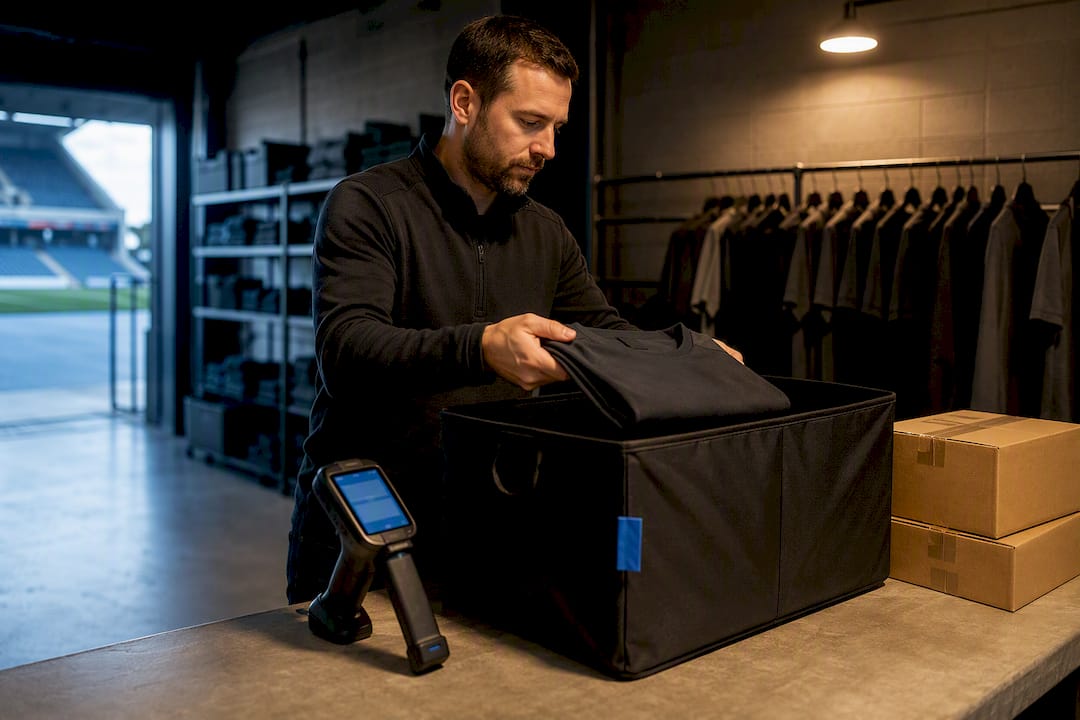
Most sports clubs should pick one of two paths: an all-in-one club platform if you’re volunteer-run or under a few thousand members, or a modular commerce stack if you’re selling at volume, running wholesale lines, or juggling multiple retail channels. The deciding factors are staffing, transaction volume, and whether membership-linked commerce and unified athlete profiles matter more than raw flexibility. Platforms such as LevelUp360HQ cover the first case well; the rest of this guide shows you how to judge both paths by your own numbers.
TL;DR:
- Smaller clubs with limited staff should prioritize all-in-one platforms that unify membership, payments, and storefront functionalities to ensure quick setup and easy management.
- Large or high-volume clubs needing wholesale, multi-channel retail, or complex fulfillment require modular systems with open APIs and EDI support, which demand longer implementation times.
- Proper integration must include real-time data sync, comprehensive POS and matchday stock management, and support for multi-warehouse inventory to prevent overselling and streamline fulfillment.
- Before choosing a vendor, clubs should clarify data synchronization processes, support for wholesale standards, and availability of testing environments to avoid operational surprises.
- Integration timelines range from six to eight weeks for small clubs on all-in-one solutions up to three to six months for larger, modular setups with extensive supply chain and retail partnerships.
Table of Contents
- Why integrate e-commerce with club management
- What features does a sports club e-commerce stack need?
- All-in-one platform or modular stack: which fits your club?
- What should you check before choosing an e-commerce vendor?
- How long does sports club e-commerce integration take?
- How LevelUp360HQ handles integration in practice
- What clubs get wrong when they integrate commerce
- See how LevelUp360HQ fits your club’s commerce plans
- Sources
- FAQ
Why integrate e-commerce with club management
A club that sells kit through one system and manages memberships through another is running two businesses with no shared ledger. Every sale needs manual reconciliation. Every member who buys a shirt has to be matched by hand to their subscription record. That’s hours of admin every week, and it scales badly the moment matchday sales spike.
Integration closes that gap. Merchandise, memberships, event tickets and matchday retail all flow through one commerce layer tied to the same member database, so a parent renewing a junior subscription and buying a new away kit in the same transaction shows up as one customer, not two disconnected records.
The commercial case is straightforward:
- New revenue lines become manageable: merchandise, event bookings and matchday retail stop being side projects and start showing up in the same reporting as membership income.
- Reconciliation time drops: finance staff stop cross-checking spreadsheets against payment processor exports by hand.
- Fewer duplicate records: one profile per member means fewer support tickets about “why can’t I log in to buy a shirt”.
- Fulfilment readiness pays off early: clubs that plan for third-party logistics (3PL) and EDI connections before they need them avoid a scramble when a retail partnership or wholesale order arrives.
Pro Tip: If you’re already fielding more than a handful of “where’s my order” emails a week, that’s your signal to move fulfilment into a proper system before volume triples during a promotion or cup run.
Club commerce migrations that connect online sales, in-store tills and stadium retail under one backbone have delivered fast revenue growth without adding headcount, according to a commerce migration case study from Danish football club AGF. The lesson isn’t that unification is magic. It’s that fragmented systems cap growth long before demand does.
What features does a sports club e-commerce stack need?
Every integration decision comes down to matching a technical capability to an operational need. Skip one of these and you’ll feel it within a season, usually at the worst possible moment (a cup final, a kit relaunch, a sponsor activation weekend).
Single sign-on (SSO) is the foundation. Without it, a member’s purchase history lives separately from their club profile, which breaks personalised offers, renewal reminders and loyalty tracking before they start. Payments need to handle recurring subscriptions alongside one-off retail purchases, with PCI DSS compliance baked in rather than bolted on, and tax handling that doesn’t require a spreadsheet at year-end.
Point-of-sale (POS) and matchday retail sync matter more than most clubs assume. If your online stock and your stadium kiosk stock live in separate systems, you will oversell a limited edition shirt at some point, and it will happen in front of your most vocal supporters.
| Capability | Operational need it solves |
|---|---|
| SSO / account linking | Purchases map to the correct member profile automatically |
| Payments with PCI DSS + tax handling | Secure checkout, fewer chargebacks, accurate reporting |
| POS and matchday sync | Prevents overselling across online and in-venue channels |
| Multi-warehouse inventory + 3PL | Supports growth beyond direct-to-consumer sales |
| EDI support (850, 855, 856, 810, 820) | Enables wholesale or retailer partnership orders |
| Unified analytics and loyalty | One dashboard for sales, membership and engagement data |
Inventory and fulfilment sit underneath all of it. Clubs selling only direct-to-consumer can often get away with a single warehouse and manual dispatch. The moment you add a second sales channel, a retail partner, or a wholesale order to a chain retailer, you need multi-warehouse logic and, in some cases, Electronic Data Interchange (EDI) support for standard transaction codes: purchase orders, shipping notices, invoices. That’s not a hypothetical requirement. It’s the exact standard retailers like Sam’s Club enforce on suppliers before they’ll accept stock.
Merchandising and loyalty round out the stack: promotions, tiered rewards, and reporting that ties a sale back to a specific campaign or match. Without unified analytics, you’re guessing which promotions actually moved product.
All-in-one platform or modular stack: which fits your club?
Two roads lead to integrated commerce, and they suit different clubs for different reasons.
- All-in-one club platforms bundle membership management, payments, and a webshop into a single system, with member profiles, payments, and store data held together rather than synced between separate tools. The upside is speed to launch and low technical overhead. The downside is flexibility: you’re generally working within whatever commerce features the vendor has built, not customising a stack to your exact retail ambitions.
- Modular (best-of-breed) stacks combine a dedicated commerce platform, an ERP or membership CRM, and a POS system, connected through APIs. This suits clubs with genuine multichannel retail, wholesale ambitions, or high transaction volume where a single vendor’s built-in commerce module won’t stretch far enough. It demands more technical staffing and a longer implementation window, but it scales further.
The decision usually comes down to three questions: how many members and transactions are you processing, do you have (or can you hire) technical staff to manage integrations, and are you selling wholesale or through third-party retail channels? Volunteer-run and small clubs with limited admin time are consistently better served by an all-in-one approach, while clubs chasing high volume, multi-channel sales, or wholesale distribution get more long-term value from a modular build.
Pro Tip: Don’t over-engineer for growth you don’t have yet. A modular stack built for volume you won’t reach for two seasons just adds maintenance cost you don’t need today.
A hybrid path exists too: start all-in-one, then bolt on a dedicated fulfilment or EDI layer once wholesale orders justify the complexity, rather than rebuilding everything from scratch.
What should you check before choosing an e-commerce vendor?
Vendor demos look impressive. Vendor contracts rarely mention the operational detail that determines whether your launch goes smoothly. Before you sign anything, get concrete answers to these questions.
- How does member data sync work? Ask for the exact cadence (real-time, hourly batch, nightly) and what happens when a sync fails.
- What’s the order event architecture? You need to know how an order triggers inventory updates, fulfilment notifications and financial reconciliation, not just that it “integrates”.
- Do they support EDI or open APIs for wholesale? If retail partnerships are on your roadmap, confirm the vendor supports standard EDI transaction sets, not just a generic API you’d have to build against yourself.
- What’s the 3PL connectivity like? Ask whether their platform has existing connectors to fulfilment partners or whether that’s custom integration work on your dime.
- Is there a sandbox for testing before go-live? No sandbox means your first real test happens with live customer orders.
- What are the SLA terms for uptime and support response? Get this in writing, especially around matchday and promotional peak periods.
Fulfilment compliance deserves particular attention if you plan to sell into any retail partner or warehouse club channel. Fulfil’s EDI documentation for Sam’s Club shows native support for the standard transaction codes retailers require: purchase orders (850), order acknowledgements (855), advance ship notices (856), invoices (810) and remittance (820), with typical retailer testing taking several weeks. That timeline is worth building into any project plan involving a big-box retail partnership.
Buske Logistics notes that warehouse-club fulfilment also demands strict labelling and palletising compliance on top of EDI, which is exactly why many brands hand this piece to a specialist fulfilment partner rather than attempting it in-house. Finally, confirm GDPR or equivalent data portability terms, ask for a cost breakdown by phase (not just a total), and request references from clubs of a similar size to yours.

How long does sports club e-commerce integration take?
Timelines vary sharply by club size, but the sequence of steps is consistent whether you’re running an all-in-one setup or a modular stack.
- Discovery and scope (one to two weeks): map your current membership data, payment flows, and any existing retail volume.
- Vendor selection (two to four weeks): shortlist, demo, and check references against the checklist above.
- Data mapping and migration planning (one to three weeks): decide how legacy member and order data moves into the new system.
- Build and integration testing (three to eight weeks): connect payments, inventory, POS and any EDI or 3PL links; run sandbox tests before anything goes near a live customer.
- Soft launch (one to two weeks): open the store to a small group, usually staff and committee members, before a full announcement.
- Go-live and optimisation (ongoing): monitor order accuracy, fulfilment speed and reporting once the store is public.
A small club running a straightforward all-in-one setup can often go live within a few months. A larger club integrating a modular stack with EDI, 3PL and POS sync typically needs several months, especially if a retail partnership is involved. Build in dedicated load testing before any matchday promotion. Unified commerce projects at scale routinely add POS and OMS integration ahead of peak demand precisely because untested systems fail under promotional traffic, not steady-state traffic. Set your post-launch reporting cadence (weekly for the first month, then monthly) before go-live, not after.
How LevelUp360HQ handles integration in practice
Some club platforms are built around the principle that commerce should sit on top of the member record, not beside it. These platforms tie white-label store integrations directly to athlete and member profiles so purchases, subscription payments and training milestones can live under one CRM entry rather than three disconnected systems.
- Subscription and membership billing synced with store purchases under one profile
- CRM tools that connect purchase history to engagement and retention data
- White-label branding to create a consistent club store appearance
- Store integrations designed to support monetisation without separate reconciliation work
What clubs get wrong when they integrate commerce
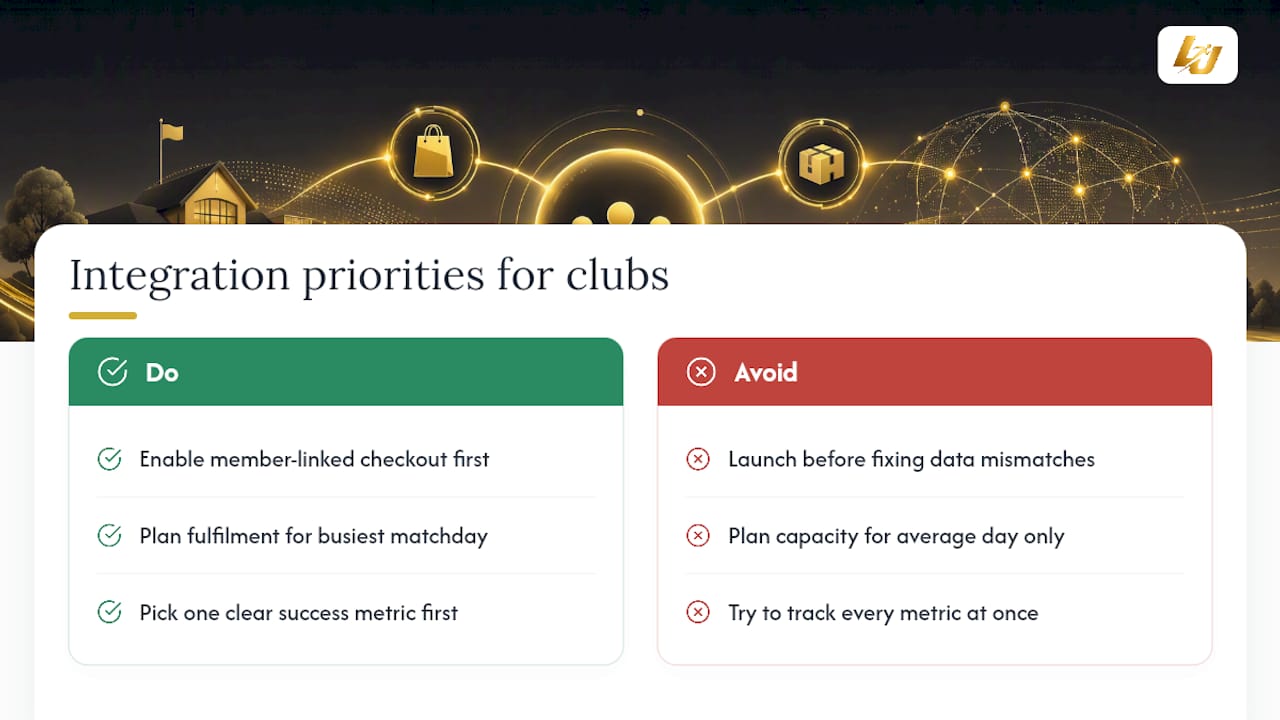
Data mismatches surprise almost every club the first time two systems try to talk to each other. Someone always finds a batch of members whose payment record and profile don’t match, usually the week before launch.
For a small club, the three priorities that matter most: get member-linked checkout working before anything fancier, plan fulfilment capacity for your busiest matchday rather than your average one, and pick one clear metric (reconciliation time saved, or repeat purchase rate) to judge success in the first month rather than trying to track everything at once.
— Chris
See how LevelUp360HQ fits your club’s commerce plans
If you run a club where members, coaches and merchandise all need to sit under one roof, LevelUp360HQ gives you that without forcing you to stitch together separate membership, payment and store systems yourself. For a small or mid-sized club watching admin hours pile up around store reconciliation, the appeal is straightforward: subscriptions, purchases and athlete profiles already share one record, so you’re not paying an integrator to build that link from scratch.
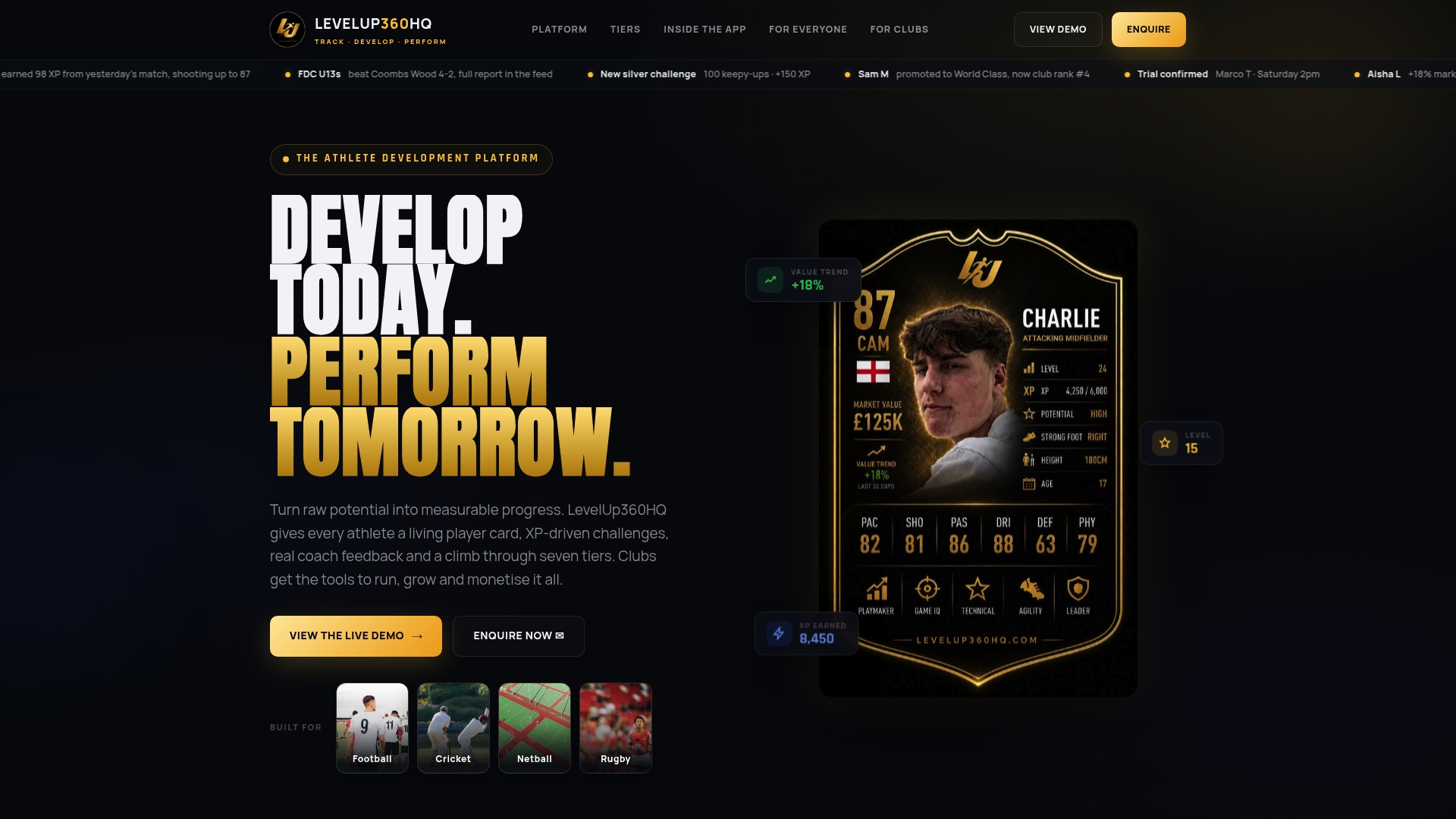
For clubs weighing an all-in-one route against a custom build, tools like Stable Manager show what a lighter, volunteer-friendly setup looks like for smaller organisations, while a modular deplatform through an agency such as Zenvor suits clubs needing bespoke commerce architecture. If neither fits your timeline or budget, take a look at LevelUp360HQ directly, or book a walkthrough on the demo page to see how store integration, memberships and athlete engagement work together before you commit to a build.
FAQ
What Are Some Good E-Commerce Platforms for Sports Products?
Clubs typically choose between all-in-one club management platforms with built-in stores, like LevelUp360HQ, and modular commerce systems paired with a dedicated club CRM, depending on transaction volume and staffing.
What Is the Best Software for Managing Sports Clubs?
There’s no single answer for every club: volunteer-run and smaller clubs generally do best with an all-in-one platform covering memberships, payments and a store, such as LevelUp360HQ, while larger clubs with wholesale or multi-channel retail needs benefit from a modular stack.
What Are the Six Types of E-Commerce?
Common models include business-to-consumer, business-to-business, consumer-to-consumer, consumer-to-business, business-to-administration and consumer-to-administration; sports club stores mostly operate as business-to-consumer with a membership layer attached.
What Is the Best Website Setup for a Sports Club?
The strongest setup links your membership database, payment processing and online store into one system so purchases automatically map to member profiles, rather than running a standalone webshop disconnected from club records.
How Long Does It Take to Set Up Sports Club E-Commerce?
A small club on an all-in-one platform can go live in six to eight weeks; a larger club building a modular stack with EDI and 3PL connections should plan for three to six months.
Turn potential into a player card.
LevelUp360 tracks every match, builds your child's player card, and shows their development over time.
Get started free