How to set up a club online store for sports clubs
Published 31 July 2026

The fastest, lowest-risk way for a UK sports club to launch an online store is to use a white-label platform with on-demand fulfilment and per-team stores managed from a single admin dashboard. No bulk orders, no size spreadsheets, no upfront stock investment. With the right setup, clubs can be taking live orders within two to four weeks.
Three reasons this approach works:
- No bulk orders required. Members order their own sizes individually and receive items direct to their door, so the club never handles stock.
- Per-team stores under one admin. Each squad or sport gets its own branded shop, while the club administrator sees every order, every payout, and every product from one dashboard.
- Automated revenue tracking. Sales, margins, and payouts reconcile automatically, removing the manual accounting that kills volunteer time.
Levelup360hq supports exactly this model: white-label club stores, CRM and subscription management, and on-demand fulfilment integrated into the same platform your coaches already use for athlete development.
Table of Contents
- How do you set goals and choose a revenue model?
- Which fulfilment model suits your club?
- How do you design products, set SKUs and manage branding?
- What do you need to know about payments and UK tax?
- How does the store connect to your CRM and membership system?
- What does the day-to-day admin workflow look like?
- What is a realistic launch timeline?
- Which KPIs should you track and how do you grow revenue?
- How does Levelup360hq support each step of the setup?
- Key takeaways
- Why the integrated approach is the one clubs actually stick with
- Ready to launch your club store with Levelup360hq?
How do you set goals and choose a revenue model?
Before you build a single product page, define what success looks like. Three measurable goals worth setting: a monthly revenue target (even £200 covers kit subsidies), a minimum orders-per-athlete figure, and a target conversion rate for the launch window.
Then choose your revenue model. Two options dominate UK club shops:
- Commission model. The platform takes a percentage of each sale and pays the club monthly. Low admin, predictable payouts, but lower margin per item. Good for clubs with no volunteer capacity to manage pricing.
- Self-managed retail margin. The club sets retail prices above the base production cost and keeps the difference. Higher earning potential, but requires someone to manage pricing and reconcile payouts.
Commission versus retail margin is ultimately a question of risk appetite and admin capacity. A club with one part-time administrator is usually better off starting with commission and switching to retail margin once volumes justify the extra work.
For your product mix, start narrow. Two or three evergreen items (training top, hoodie, water bottle) plus one seasonal drop per term. Evergreen items paired with limited drops manage inventory pressure while creating urgency that drives conversion.
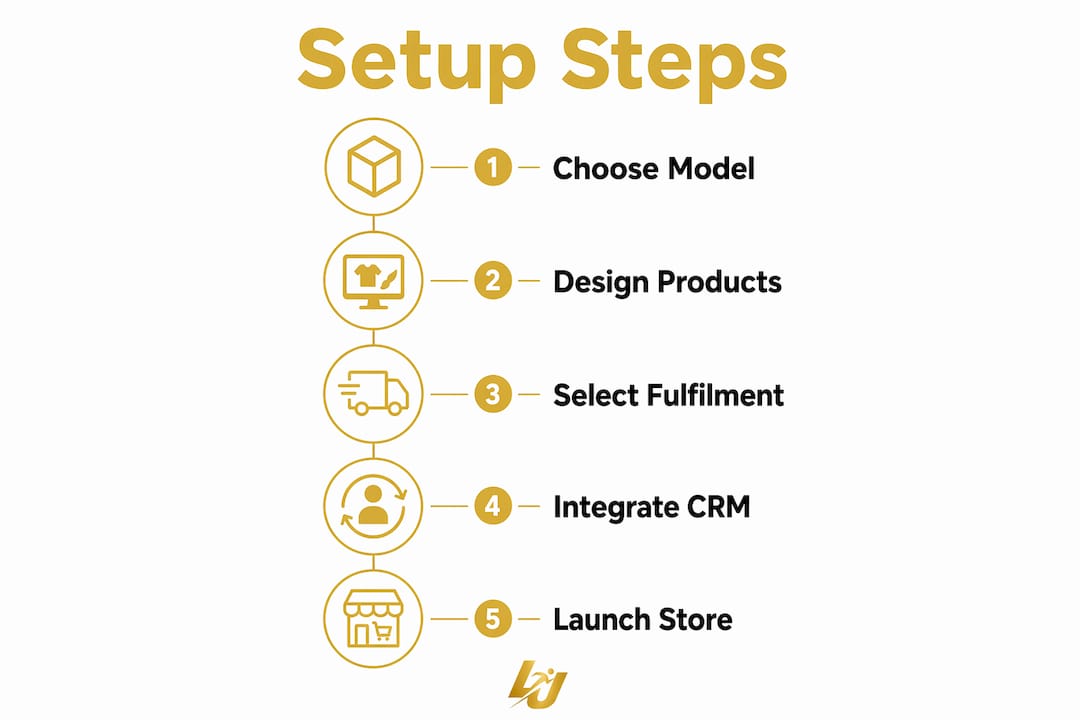
Pro Tip: Pick one SKU to launch with, not ten. A single well-photographed hoodie with three colour options will outsell a cluttered catalogue every time.
Which fulfilment model suits your club?
| Model | Cost per unit | Lead time | Admin burden | Returns |
|---|---|---|---|---|
| Print-on-demand | Higher | 5–10 days | Very low | Handled by supplier |
| Bulk stock | Lower | 1–3 days dispatch | High (storage, counts) | Club manages |
| Hybrid | Medium | Varies | Medium | Split responsibility |

Print-on-demand is the right starting point for most UK clubs. Members order individual sizes and receive direct delivery, so the club earns margin without touching a single parcel. No minimum order quantities means a parent can order one hoodie without triggering a bulk run.
Bulk stock makes sense only when volumes are predictable and storage is available, typically for large academies ordering 200-plus units of a standard training kit. The hybrid model works for clubs that want on-demand for merchandise but bulk pricing for match-day kit.
One caution: confirm regional fulfilment coverage before committing to a supplier. Some quick-launch tools are US-only and cannot ship to UK addresses efficiently, which creates returns headaches you do not want in the first month.
How do you design products, set SKUs and manage branding?
A clean product template covers four things: the base product and decoration method (embroidery vs print), a size matrix, photography, and a SKU naming convention. Get these right once and replicating them across team stores takes minutes.
For SKU naming, use a consistent structure: [CLUB CODE]-[PRODUCT TYPE]-[COLOUR]-[SIZE]. For example, AFC-HOOD-NVY-L. This keeps multi-team dashboards readable and prevents fulfilment errors when orders from five squads arrive simultaneously.
- Sizing strategy. Offer standard adult and youth sizes rather than custom measurements. Fewer options reduce returns and simplify the size matrix.
- White-label branding. Each team store inherits the club’s primary colours and logo, with a sub-brand layer for the specific squad (e.g., “AFC Under-15s”). Consistent typography and colour codes across all stores protect the club’s identity.
- Photography. One flat-lay and one lifestyle image per product is sufficient for launch. Mockup generators built into most platforms remove the need for a photoshoot.
Pro Tip: Lock the club logo file to a single approved version in the admin dashboard. Coaches uploading their own cropped screenshots is how brand consistency dies.
What do you need to know about payments and UK tax?
Enable card payments, Apple Pay, and Google Pay as a minimum. PayPal is worth adding for parents who prefer it. Settlement flow should go directly to the club’s bank account, not a personal account, to keep finances clean.
For pricing, use this formula: retail price = base cost + fulfilment fee + platform fee + VAT margin + desired profit. If your base hoodie costs £18, fulfilment is £4, and the platform takes 8%, you need a retail price above £24 before you see any margin.
UK VAT basics every club should know:
- Clubs are not required to register for VAT until taxable turnover exceeds the current registration threshold (check the latest figure with HMRC, as it is subject to change).
- If the club is already VAT-registered, charge VAT on merchandise sales and reclaim it on costs.
- Issue receipts for every transaction. Most integrated platforms generate these automatically.
- Consumer rights under the Consumer Rights Act 2015 require a clear returns policy before purchase. State it on the store page, not buried in a PDF.
Some platforms handle monthly commission payouts via PayPal or direct bank transfer. Whichever method you use, keep a record of every payout for your annual accounts.
How does the store connect to your CRM and membership system?
The integrations that matter most for a club store are: member database (so pricing rules and restricted items apply to verified members only), basic accounting exports (CSV at minimum), and coach approval workflows for custom kit orders.
Practical steps before launch:
- Test a member join. Add a test member to the CRM and confirm they can access member-only pricing in the store.
- Test an order end-to-end. Place a test order, confirm the payment processes, and check the fulfilment notification fires correctly.
- Test a coach approval. Submit a custom kit request and walk through the approval workflow to catch any permission gaps.
Per-team stores that inherit club branding while syncing membership lists allow you to restrict certain products (e.g., match kit) to registered players only, which reduces fraud and keeps inventory accurate.
What does the day-to-day admin workflow look like?
Order lifecycle, step by step:
- Member places order via the team store, pays online, receives confirmation email.
- Fulfilment partner receives order automatically and begins production (on-demand) or picks from stock (bulk).
- Club admin reviews dashboard for any flagged orders (size queries, payment failures, custom kit requests).
- Coach or team manager approves any custom decoration or sponsor logo changes via the approval workflow.
- Item ships direct to member; tracking notification sent automatically.
- Club admin reconciles payouts monthly against the dashboard report.
Role matrix: the club administrator owns pricing, payouts, and escalations. The team manager or coach handles squad-specific approvals and communicates order windows to parents. The fulfilment contact (internal or supplier) manages production queries and returns.
For exceptions, keep it simple. Size exchanges go back to the fulfilment partner under their returns policy. Damaged goods get a replacement raised via the supplier portal. Late orders during a closed window require a manual override from the club administrator, so document who has that permission.
Pro Tip: Set a hard order window close date and communicate it twice: once when the window opens, once 48 hours before it closes. Late-order requests are the single biggest source of admin friction.
What is a realistic launch timeline?
- Week 1: Collect brand assets (logos, colour codes), finalise product templates, set pricing, assign admin roles.
- Week 2: Build stores, configure payment settings, run test orders, confirm fulfilment coverage for UK addresses.
- Week 3 (soft launch): Open one team store to a single squad. Gather feedback, fix any workflow gaps.
- Week 4 (full launch): Open all team stores, send member emails, brief coaches, post on club social channels.
- Weeks 5–6 (order window): Order window open. Send a reminder at 48 hours before close.
- Weeks 7–9: Production and fulfilment. Communicate expected delivery dates to members.
- Week 10: First payout reconciliation. Review KPIs and plan next drop.
A staged launch starting with one team surfaces problems before they affect the whole club. It also gives you a real-world case study to share when briefing other squad managers.
Which KPIs should you track and how do you grow revenue?
Primary metrics: orders per athlete (target at least 0.5 in the first window), conversion rate on store visits, average order value, gross margin per item, and repeat buyer rate across windows.
- Limited drops create urgency and lift conversion. A seasonal training top available for two weeks only will consistently outperform the same item listed permanently.
- Member discounts for registered players reward loyalty and increase average order value when bundled with a second item.
- Bundle pricing (kit bag + hoodie at a combined price) raises average order value without discounting individual items.
Schedule a monthly dashboard review to reconcile payouts and spot slow-moving SKUs. Drop items that have not sold in two windows; they dilute the catalogue and confuse new members.
On data privacy: storing member purchase data means GDPR obligations apply. Keep purchase records only as long as necessary, use a platform with UK-compliant data storage, and include a privacy notice on the store page. The ICO’s guidance for small organisations is the right starting point.
How does Levelup360hq support each step of the setup?
| Setup step | Levelup360hq feature |
|---|---|
| Revenue model and pricing | Store integration with configurable retail pricing and commission tracking |
| Per-team stores | White-label sub-brands under one club admin dashboard |
| CRM sync and member pricing | CRM module linking member records to store access and pricing rules |
| Coach approvals | Approval workflow tools within the coaching and session management layer |
| Payments and payouts | Integrated payment processing with automated payout reporting |
| Performance analytics | Revenue and order KPI dashboards alongside athlete development metrics |
For a multi-sport academy running football, cricket, and netball squads simultaneously, Levelup360hq’s single-dashboard model means one administrator can manage three team stores, three sets of member records, and three payout schedules without switching platforms. The coaching approval workflow sits in the same environment as session planning and video assessments, so kit changes and squad updates stay in sync.
Key takeaways
Setting up a club online store works best when you combine on-demand fulfilment, per-team white-label stores, and a CRM-linked admin dashboard from the start.
| Point | Details |
|---|---|
| Choose your revenue model first | Decide between commission and self-managed retail margin before building any product pages. |
| Start with on-demand fulfilment | No bulk orders, no stock risk, and members receive items direct, removing club logistics entirely. |
| Soft-launch with one team | Test workflows on a single squad before opening stores to the whole club. |
| Track five core KPIs | Monitor orders per athlete, conversion rate, average order value, gross margin, and repeat buyer rate. |
| Levelup360hq centralises everything | White-label stores, CRM, approvals, and revenue reporting sit in one platform built for multi-sport clubs. |
Why the integrated approach is the one clubs actually stick with
Most club store projects fail not at launch but at month three, when the volunteer who set it up burns out managing order queries, chasing payments, and updating spreadsheets. The stores that survive are the ones where the admin burden is close to zero from day one.
The clubs that get this right are not necessarily the biggest or best-funded. They are the ones that resist the temptation to build a complex catalogue at launch, choose a platform where the store and the member database talk to each other, and treat the first order window as a learning exercise rather than a revenue event.
The integrated model matters because it removes the gap between “we have a store” and “the store actually works for our members.” When a parent can order a hoodie in the same place their child’s training progress lives, the store becomes part of the club experience rather than a separate admin task.
Ready to launch your club store with Levelup360hq?
Levelup360hq gives multi-sport clubs and academies a single platform for athlete development, member management, and a fully integrated online store, without the need to stitch together separate tools or manage multiple supplier relationships.
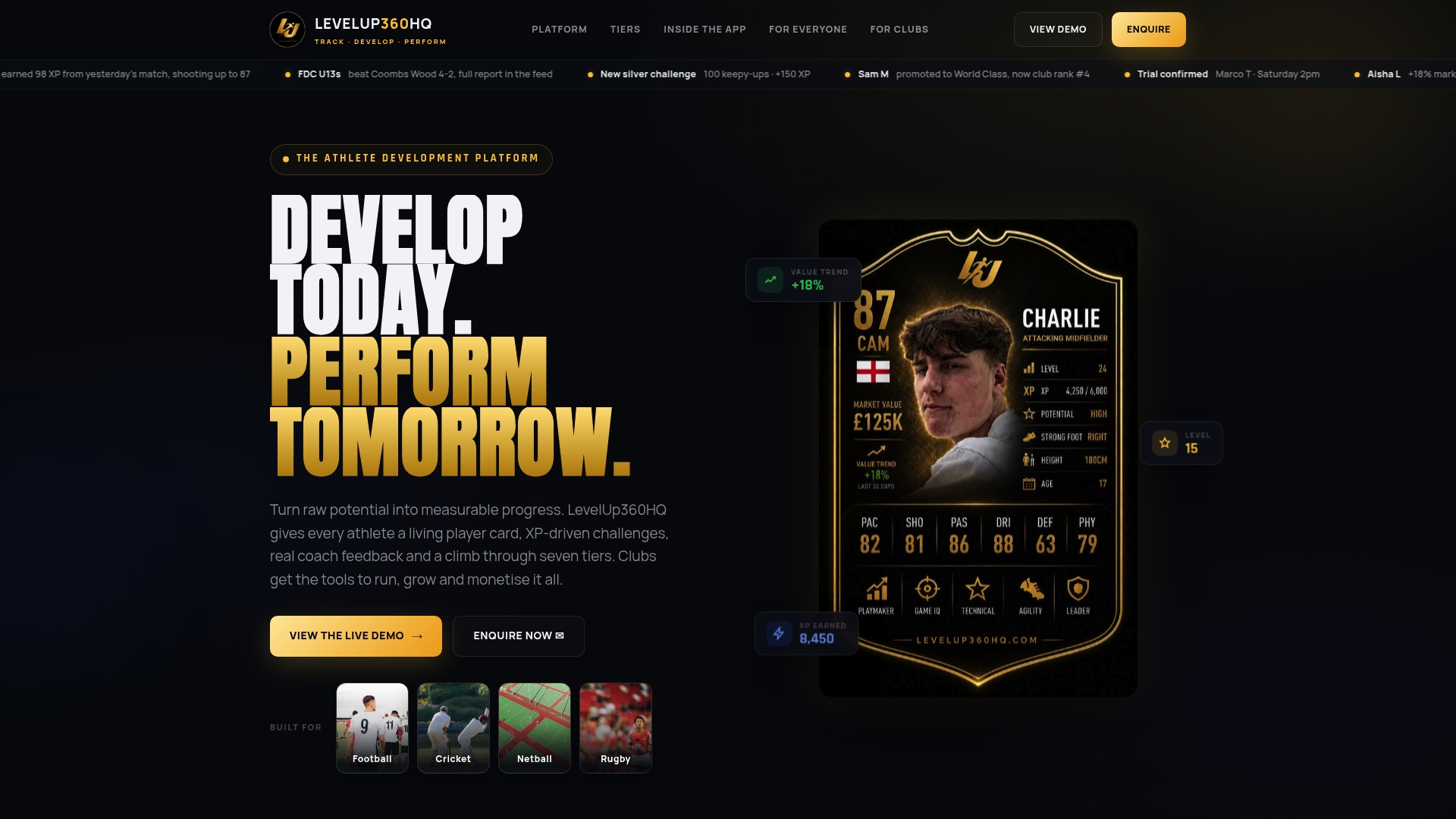
The store module sits inside the same white-label environment as your CRM, coaching workflows, and subscription management. That means member pricing rules, squad approvals, and payout reporting all work together from day one. Pilots typically go live within two to four weeks, with platform support included throughout setup.
Book a demo to see the store and CRM features in action, or visit Levelup360hq to explore the full platform.
This article provides general information for UK sports clubs and is not legal, tax, or financial advice. Confirm VAT thresholds, GDPR obligations, and consumer rights requirements with HMRC, the ICO, or a qualified adviser for your specific situation.
Recommended
Turn potential into a player card.
LevelUp360 tracks every match, builds your child's player card, and shows their development over time.
Get started free