Turn Sessions Into Predictable Income: Session Management for Clubs & Coaches
Published 23 September 2026

An integrated workflow that links session planning, scheduling, attendance, video assessments and payments is the single best fix for club admin chaos. It cuts the hours coaches lose to paperwork, gives every athlete a clear development trail, and turns attendance data into predictable revenue rather than guesswork. The sections below walk through how to build that workflow, starting with the syllabus itself.
TL;DR:
- Implementing a unified session management system reduces administrative time from several minutes to under 30 seconds per session through mobile check-in and digital tools.
- Building a reusable syllabus with structured templates and skill tagging ensures consistency, efficiency, and reduces coach burnout throughout a season.
- Automated attendance-linked billing and real-time notifications improve revenue collection rates by up to 50 percent and minimize delayed or missed payments.
- Centralized scheduling and attendance data enable early detection of participation drop-off points, allowing targeted intervention to improve retention.
- Using integrated video assessment workflows with approval steps maintains high feedback quality and creates a permanent athlete record, enhancing development tracking.
Table of Contents
- What is session management for clubs?
- How do you build a reusable syllabus for sessions?
- Scheduling and attendance for multi-batch clubs
- How should clubs run video assessments and drill libraries?
- Which KPIs actually show whether sessions are working?
- Turning sessions into predictable income
- Coach workflows and approval processes that actually work
- Implementation checklist and go-live timeline
- Perspective: how better session management drives participation
- See how LevelUp360HQ fits into this playbook
- Sources
- FAQ
What is session management for clubs?
Session management for clubs means the systems and processes that plan, schedule, run and track every training session an academy delivers, from the drill sheet a coach writes on Monday to the invoice a parent pays on Friday. Most clubs already do pieces of this in spreadsheets, WhatsApp groups and paper registers. The problem isn’t a lack of effort. It’s that none of those pieces talk to each other.
Proper session control means your syllabus, your timetable, your attendance register, your video feedback and your billing all pull from the same data. When a coach marks a player present, that record should feed retention analytics and, if the club runs pay-per-session pricing, trigger an invoice. When a coach uploads a video assessment, it should land on that athlete’s profile automatically rather than sitting in a folder nobody revisits. That’s the shift from “software that helps admin” to genuine club session control.
How do you build a reusable syllabus for sessions?
A syllabus only earns the name if it’s reusable. Writing a fresh session plan every week is how coaches burn out and why quality slips between age groups.
Start with learning objectives mapped across a term, not a single session. Decide what a Under 12s group should be able to do by week 12, then work backwards into weekly themes. This is where season planning software for academies earns its keep. It lets you build a syllabus once and adapt it, rather than rebuilding from scratch every term.
From there, templates do most of the heavy lifting:
- Warm-up, core, conditioned game, cool-down structures keep sessions consistent even when different coaches run them.
- Tagging drills by skill, duration, equipment and difficulty means any coach can search the library and slot in a relevant drill in seconds.
- Progression markers attached to each drill let you track whether a player is ready to move up a difficulty tier.
- Shared templates across coaches stop quality varying wildly between one coach’s session and another’s.
Get the tagging right early. A drill library with poor metadata becomes unusable within a season, and coaches revert to memory and habit, which is exactly the inconsistency you’re trying to remove.
Scheduling and attendance for multi-batch clubs
Timetabling gets genuinely hard once a club runs multiple batches, multiple venues and a rotating coach roster. A single missed clash, like two age groups double-booked on the same pitch, wastes a session and annoys parents who’ve driven across town for nothing.
A centralised timetable view solves the visibility problem: every batch, every venue, every coach assignment in one place, with conflicts flagged before they happen rather than discovered on the day. Coach assignment and substitution handling matters here too. When a coach calls in sick, someone needs to see instantly who else is qualified and free, not scroll through a group chat hoping someone volunteers.
Attendance capture is where the operational gains are largest. Manual registers eat 5 to 10 minutes per session in a coach’s time. Mobile check-in, QR scanning or a digital roster brings that under 30 seconds, and that speed compounds fast across a full day of back-to-back batches.
- Automated parent notifications when a child checks in or a session changes, cutting the “where is my kid” phone calls.
- Attendance linked to billing so a pay-per-session member is invoiced the moment they’re marked present, not weeks later.
- Retention flags triggered automatically when a member’s attendance pattern drops, giving staff a chance to intervene before they quietly leave.
How should clubs run video assessments and drill libraries?
A drill library only becomes valuable once it’s genuinely searchable. Structure it by sport, skill category and difficulty, with templates coaches can duplicate rather than build from nothing each week. That structure is what separates a folder of old files from something a new coach can actually use on day one.
Video assessments extend the same logic to individual feedback. Record a session, clip the moments that matter, and attach timestamped notes so an athlete sees exactly what to work on rather than a vague verbal comment they’ll forget by Tuesday.
- Submission: a coach uploads a clip or session recording tied to a specific athlete or drill.
- Review: a senior coach or programme lead checks the assessment against agreed criteria.
- Approval: once signed off, the feedback becomes part of the athlete’s permanent record, visible to parents.
That approval step matters more than clubs assume. It stops inconsistent or rushed feedback going straight to a parent’s phone unchecked.
Pro Tip: Keep video clips under 90 seconds each. Long clips rarely get watched twice, and short, specific clips are what actually change technique.
Which KPIs actually show whether sessions are working?
Attendance alone tells you who showed up, not whether the session did anything. Clubs that track session quality properly watch four numbers: attendance rate, session engagement (drills completed versus planned), skill or XP progression, and coach consistency across batches.
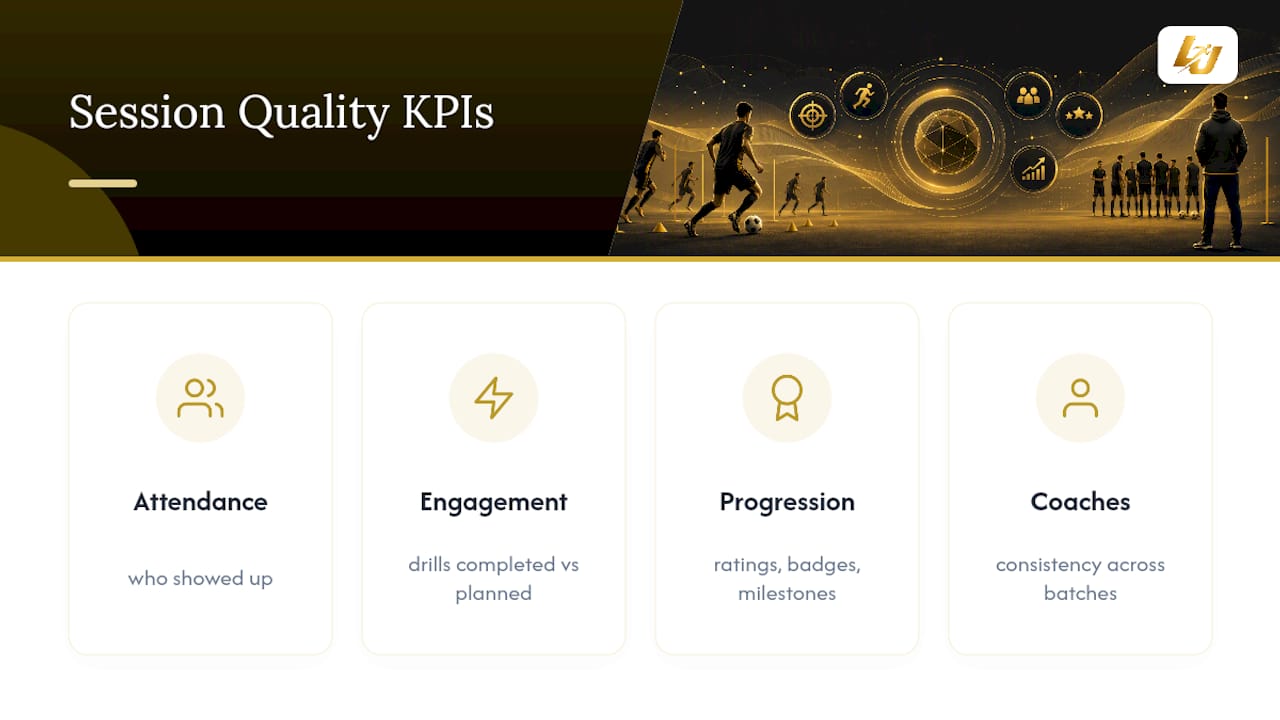
Session analytics turn a gut feeling into a decision. A club running four coaches across three venues cannot rely on memory to know which sessions are working. Player cards or athlete profiles that aggregate ratings, badges and milestones over a season give a single view of progress that a spreadsheet never will.
The reports worth building are a per-athlete timeline (showing trajectory across a term, not just a snapshot), cohort progression (comparing one age group’s development against another’s), coach performance linked to retention, and revenue tied back to specific programmes. That last link is the one clubs skip most often, and it’s usually the one that reveals which sessions are actually worth running.
Drop-off points show up clearly once this data exists. A cohort that starts skipping Thursday sessions three weeks before a term ends isn’t a coincidence. It’s a pattern administrators can act on if the data is visible early enough.
Turning sessions into predictable income
Session management isn’t just an operational fix. Done properly, it’s how a club stops leaking revenue.
The subscription-versus-pay-per-session decision should follow your member mix. Clubs with committed, term-long members do better on subscription tiers, since it smooths cash flow and reduces the admin of chasing one-off payments. Clubs with casual or drop-in attendance often do better with pay-per-session or a hybrid model, charging a base subscription plus per-session add-ons for extra training.
- Automated invoicing and reminders measurably change payment behaviour. Academies that switch on fee automation see on-time collection improve by roughly 40 to 50% within the first couple of months.
- Store integration for kit, equipment and event tickets adds a second revenue line without extra admin overhead, provided purchases link back to the member record.
- Attendance-gated billing stops the awkward situation where a member keeps attending after their subscription lapses because nobody noticed.
None of this requires chasing parents by phone. It requires the systems to talk to each other.
Coach workflows and approval processes that actually work
Role-based permissions stop small errors becoming big ones. A junior coach shouldn’t be able to edit a syllabus template meant for the whole programme, and a part-time coach covering one batch shouldn’t see billing data for the entire club.
- Define roles clearly: head coach, assistant coach, programme lead, and what each can edit versus view.
- Route approvals: video assessments, session plans and player ratings pass through a designated reviewer before they reach parents.
- Log handover notes: every session should leave a short record for whichever coach picks up that group next.
- Tie KPIs to outcomes: coach performance measured against attendance retention and progression, not just sessions delivered.
Handover notes matter more than most clubs admit. A coach covering someone else’s group without session history is coaching blind.
Implementation checklist and go-live timeline
Rolling out session management software works best as a staged process, not a single big switch.
- Pre-launch: map your current process, appoint a project owner, and prepare your roster, drill library and templates ahead of time.
- Data migration: prioritise member records, payment history and existing schedules first. Everything else can follow.
- Pilot: run one venue or one age group for two to four weeks before rolling out further, and use that window to fix template gaps.
- Go-live: train staff, brief parents on the change, and set a simple measurement plan so you know within a month whether it’s working.
Many platforms now promise basic setup within 48 to 72 hours for common templates, but that speed only pays off if your data migration and pilot are planned properly first.
Pro Tip: Don’t migrate every historical record on day one. Bring across the current season’s data and backfill history later, once staff trust the new system.
Perspective: how better session management drives participation
Coaches don’t leave the profession because they dislike coaching. They leave because half their week disappears into admin that adds nothing to an athlete’s development. I’ve come to think the real value of session management software isn’t the dashboards. It’s the hours it hands back to the person actually running the drill.
That’s the thinking behind features like live player cards and XP progression inside LevelUp360HQ: not gimmicks, but a way to make an athlete’s growth visible without a coach writing another report. Video assessments with approval workflows do the same job for feedback quality. Worth exploring through the platform demo if any of this checklist felt familiar.
— Chris
See how LevelUp360HQ fits into this playbook
Levelup360hq is the alternative to stitching together spreadsheets, group chats and a separate payments tool for club session management. Everything in this checklist, session templates, multi-batch scheduling, video assessment approval, attendance-linked billing, lives in one system rather than five.

The Pro plan runs at £49 per month, plus a £1.50 monthly platform fee per active athlete, with revenue share pricing available on request. Clubs using the workflow described above typically see the same quick wins: attendance capture that takes seconds instead of minutes, video feedback that reaches parents the same day instead of the same month, and billing that follows attendance automatically instead of chasing invoices manually. If your syllabus, timetable and payments still live in separate tools, book a walkthrough on the LevelUp360HQ demo page and see how session data flows through player cards, coach approvals and store integration in one place.
Sources
- 9 Proven Benefits of Sports Management Software for Indian Academies (2026) - AcadifyOS
- Optimizing Youth Sports Academies with Dedicated Software
- How to Choose Club Management Software - Evaluation Guide…
FAQ
What does session management software actually do for clubs?
It links session planning, scheduling, attendance and payments into one system so coaches spend less time on admin and more time coaching. Clubs typically see attendance marking drop from minutes to under 30 seconds per session.
How long does implementation take?
A pilot on one venue or age group usually runs two to four weeks before wider rollout. Basic setup with common templates can be ready within 48 to 72 hours once your data migration priorities are sorted.
What should clubs check before choosing a platform?
Identify your one non-negotiable requirement first, often family billing or membership management, then evaluate integrations and data export options against it. This selection framework comes from TidyHQ’s platform evaluation guide.
How much does LevelUp360HQ cost?
The Pro plan is £49 per month, with an additional £1.50 per month per active athlete platform fee. Revenue share pricing is available on request through the demo page.
Can session management improve fee collection?
Yes. Automated invoicing and reminders have been shown to improve on-time fee collection by 40 to 50% within the first two months of adoption.
Turn potential into a player card.
LevelUp360 tracks every match, builds your child's player card, and shows their development over time.
Get started free