Custom Domains for Club Platforms: A Practical Guide
Published 16 November 2026

A custom domain puts your club’s own web address, such as members.yourclub.org, on the platform your athletes, parents and coaches log into, instead of an address that belongs to the software supplier. For most clubs the best setup is a subdomain of the domain you already own, connected with a DNS record at your registrar, with the HTTPS certificate issued automatically once the record is live. The work takes an afternoon. The mistakes that cost clubs a week are choosing the bare root domain, leaving old DNS records in place and letting the domain lapse at renewal.
This guide is written for club administrators, coaches and parents who sit on a committee and have to get this done without a web developer. It explains the terms in plain words, walks through the setup, shows what goes wrong and what a domain really costs over several years.
TL;DR
- Use a subdomain such as members.yourclub.org rather than the bare root domain. It keeps your main website and email untouched and works with the standard record type platforms ask for.
- Connecting a domain means adding DNS records at your registrar. The platform tells you the exact values, and you paste them in.
- Changes can show up within minutes or take a day or more, depending on the TTL (the cache time) set on the old record. Lower it before you start.
- HTTPS certificates are normally issued automatically, but only once your records are correct everywhere.
- Budget for renewal, not the first-year promotion: a .com can renew at about double its introductory price.
Table of Contents
- What a custom domain is, and how it differs from the default address
- Why a club bothers with its own address
- Subdomain or root domain: which to connect
- How to connect a custom domain, step by step
- How long it takes, and what to check when it does not work
- What a domain really costs
- What to ask before choosing a platform
- Where this fits with Levelup360hq
- Frequently asked questions
- Sources
What a custom domain is, and how it differs from the default address
Every hosted platform gives your club a default address, usually a subdomain of the supplier’s own site. It works from day one, but the supplier’s name sits in the address bar. Many platforms keep that default live even after you add your own, so nothing breaks if your custom setup has a problem.
A custom domain replaces what people see. Parents type or click members.yourclub.org, the platform answers, and the supplier’s name never appears. Behind the scenes nothing about your data moves: you are simply telling the internet that your address should point to the platform’s servers.
Two terms are worth knowing before you start:
- Registrar: the company where you bought your domain and where its settings live. This is where you make the changes.
- DNS records: short instructions stored at the registrar that say where an address should lead. The two you will meet are an A record (points a name to a numeric server address) and a CNAME record (points a name to another name).
Why a club bothers with its own address
For a youth sports club, the practical reasons are trust and consistency, not vanity.
Trust. Parents are asked to enter personal details, medical notes and payment information. A login page on an address that carries your club’s name looks like part of the club. An unfamiliar third-party address is exactly the kind of link a careful parent hesitates over, and the kind of link phishing emails imitate.
Continuity. Coaches come and go, platforms change and committees turn over. If every flyer, kit order form and email signature points to an address you own, you can change the software behind it without telling 400 families to update a bookmark.
Visibility. Players who build a live profile, with ratings, badges and video, want to share it with scouts and relatives. A link on the club’s own domain reads as official and is easier to remember and say aloud.
Consistent branding. A club crest, colours and address that all match feel like one organisation. This is the idea behind white-label platforms, where the club’s brand, not the software’s, is what members see.
Subdomain or root domain: which to connect
This is the decision that most often causes trouble, so make it first.
The root domain (also called the apex or bare domain) is yourclub.org with nothing in front. A subdomain is anything placed before it: members.yourclub.org, academy.yourclub.org, play.yourclub.org.
Use a subdomain, for three reasons:
- The DNS standard. The apex of a domain has to carry certain required records, so a CNAME there breaks the rules, and compliant DNS providers will reject or ignore it, as DNS reference ThatMy explains. Subdomains such as www can take a CNAME without trouble, while a bare domain usually needs an A record or a provider that supports CNAME flattening.
- Your main website stays where it is. If yourclub.org already shows your fixtures and news, pointing it at a member platform would replace it.
- Email stays safe. Club email addresses ending in @yourclub.org depend on records at the root. Fiddling with root records is how clubs accidentally stop receiving messages. A subdomain leaves them alone.
Good subdomain names are short, lowercase and obvious: members, portal, academy, join, shop. Avoid hyphens and club abbreviations that parents will mistype.
If you want the bare domain to open the platform, the cleanest route is usually to point www at it with a CNAME and ask your registrar to forward the bare domain to the www address.
How to connect a custom domain, step by step
The exact screens differ by registrar and platform, but the sequence is the same.

1. Check who controls the domain
Find out where the club’s domain is registered and who holds the login. In many clubs it was bought years ago by a former secretary on a personal card. Recover that access before anything else, and move the account to a shared club email address so it survives committee changes.
2. Lower the TTL
TTL (time to live) is how long other networks remember an old answer before asking again. ThatMy explains that changes spread only as fast as the TTL allows: with a TTL of 300 seconds the world re-checks in about five minutes, while 86,400 seconds can leave the old answer in circulation for up to 24 hours. It recommends lowering the TTL to 300 before a change and waiting a day. For a brand-new subdomain there is no old answer to expire, so this step matters mainly when you are replacing an existing record.
3. Enter the domain in the platform
In the platform’s settings, type the full subdomain, normally without “https://” in front. The platform will then show you the records it needs: a record type, a host (the part before your domain, such as members), and a value. Copy them exactly. Never use values from a guide written for a different platform, because the target addresses are specific to each supplier.
4. Add the records at your registrar
Open the DNS settings at your registrar, add a new record for each one the platform lists, and paste the host and value. Leave TTL on automatic or at the value the platform suggests. Two rules prevent most failures:
- Delete any existing record for the same host before adding the new one. Conflicting entries for the same name cause intermittent behaviour that is hard to diagnose.
- If you must use the bare domain, keep only the single A record the platform asks for. Netlify’s documentation lists multiple A records on the apex domain among the common causes of a certificate not being issued.
5. Wait, then verify
Return to the platform and use its verify button, if it has one. Then test from a phone on mobile data as well as your office Wi-Fi, because your own network may remember the old answer for longer.
6. Confirm HTTPS and test the journey
Open the address and check for the padlock. Then walk the real path a parent takes: invitation email, sign-up, login, payment page. Links in automated emails should show your club’s address, not the default one.
How long it takes, and what to check when it does not work
The honest answer is anywhere from a few minutes to a couple of days. The old advice that DNS always needs 24 to 48 hours is, according to ThatMy, a leftover from when 86,400 seconds was the default cache time. On modern providers defaulting to 3,600 seconds, lowering it to 300 beforehand means full spread in under 15 minutes.
Certificates add their own wait. The padlock comes from an HTTPS certificate, which proves the site is genuinely yours. Many platforms request one automatically through the free Let’s Encrypt service as soon as your records are visible. Netlify’s documentation says its system retries every 10 minutes for the first 24 hours and then hourly for two more days, and that every global location must show the correct records before a certificate can be issued. If nothing appears within 24 hours, the same page points to a DNS misconfiguration as the likely cause.
When a domain will not connect or shows a “not secure” warning, work through this list in order:
| Symptom | Likely cause | What to do |
|---|---|---|
| Nothing loads at the address | Record not saved, or typed with a typo | Re-open DNS settings and compare host and value character by character |
| Loads on your phone, not at the clubhouse | Local cache still holds the old answer | Wait out the TTL, or test on mobile data |
| “Not secure” warning after a day | Certificate not issued, usually because records are wrong somewhere | Check the records against the platform’s list and remove duplicates |
| Works with www, not without | Bare domain not pointed anywhere | Forward the bare domain to the www address at your registrar |
| Club email stopped arriving | A root record was changed | Restore the original root email records and use a subdomain instead |
A propagation checker, such as the DNSChecker.org site Netlify’s guide mentions, shows whether your records are visible from many locations at once. A certificate request that is stuck while that tool shows mixed results is simply waiting for the slowest location to catch up.
Keep the old setup running for a day after switching, as ThatMy advises for any DNS change, so that members who still hold an old link are not locked out mid-session.
What a domain really costs
The platform may charge nothing extra for connecting a domain, but the domain itself is a recurring bill, and promotional pricing hides the real figure.
Digital Hosting’s 2026 analysis of GoDaddy renewals found a .com renewing at $22.99 a year plus taxes and ICANN fees, roughly double the $10 to $12 market rate, with alternative registrars renewing the same domain at $9.98, $11.17 and $11.81. A separate pricing review of the same registrar lists registration at $11.99, a renewal of $22.99 and an ICANN fee of $0.18 per domain per year added at checkout.
Promotions can be more extreme. In its November 2026 alternatives guide, Digital Hosting reports a $0.01 first-year .com that requires a three-year purchase, putting $45.99 on the card because the second and third years bill at the renewal rate. Over five years that works out at about $92 for one .com, against roughly $49 to $59 at three lower-priced registrars.
So before you buy, check these four things:
- The renewal price, not the first-year price.
- Privacy for the registrant. Registration records can show the owner’s name, address and phone number. For a club run by volunteers from their own homes, privacy protection matters. Some registrars charge for it: the pricing review above notes that it is a paid add-on at GoDaddy, while a 2026 registrar comparison says Namecheap includes it and Hover includes it free. The same comparison notes that this privacy service is unavailable for about 30 extensions, including .us, because of registry restrictions.
- Auto-renew and the payment card. Put the club’s card, not a coach’s personal one, on the account, and set a calendar reminder for 60 days before the expiry date.
- The account owner. The registrant should be the club, not an individual.
A typical .com at a mid-priced registrar therefore costs the club in the region of $10 to $20 a year. That is small next to a single kit order, but it is a cost the committee should know it carries.
What to ask before choosing a platform
Not every platform handles custom domains the same way. Before you commit, a club administrator should be able to answer these from the supplier’s help pages:
- Can I use a subdomain of my own domain, and does the platform issue the HTTPS certificate automatically?
- Does the default address keep working as a fallback if my domain lapses?
- Do invitation, receipt and password-reset emails use my domain or the supplier’s?
- Is the setup included in the plan, or an add-on?
- How is branding applied: logo, colours, club name on every page, or only the login screen?
- What happens to my links if I later leave? Because you own the domain, the answer should be that you simply point it elsewhere.
The last point is the strongest argument for owning the address. Your members’ bookmarks belong to you, not to the software.
What we think at Levelup360hq
Clubs often treat the domain as a technical chore and the platform as the real decision. We see it the other way round: the address is the one piece of your digital presence that you will still be using in ten years, so it should be chosen deliberately and owned by the club.
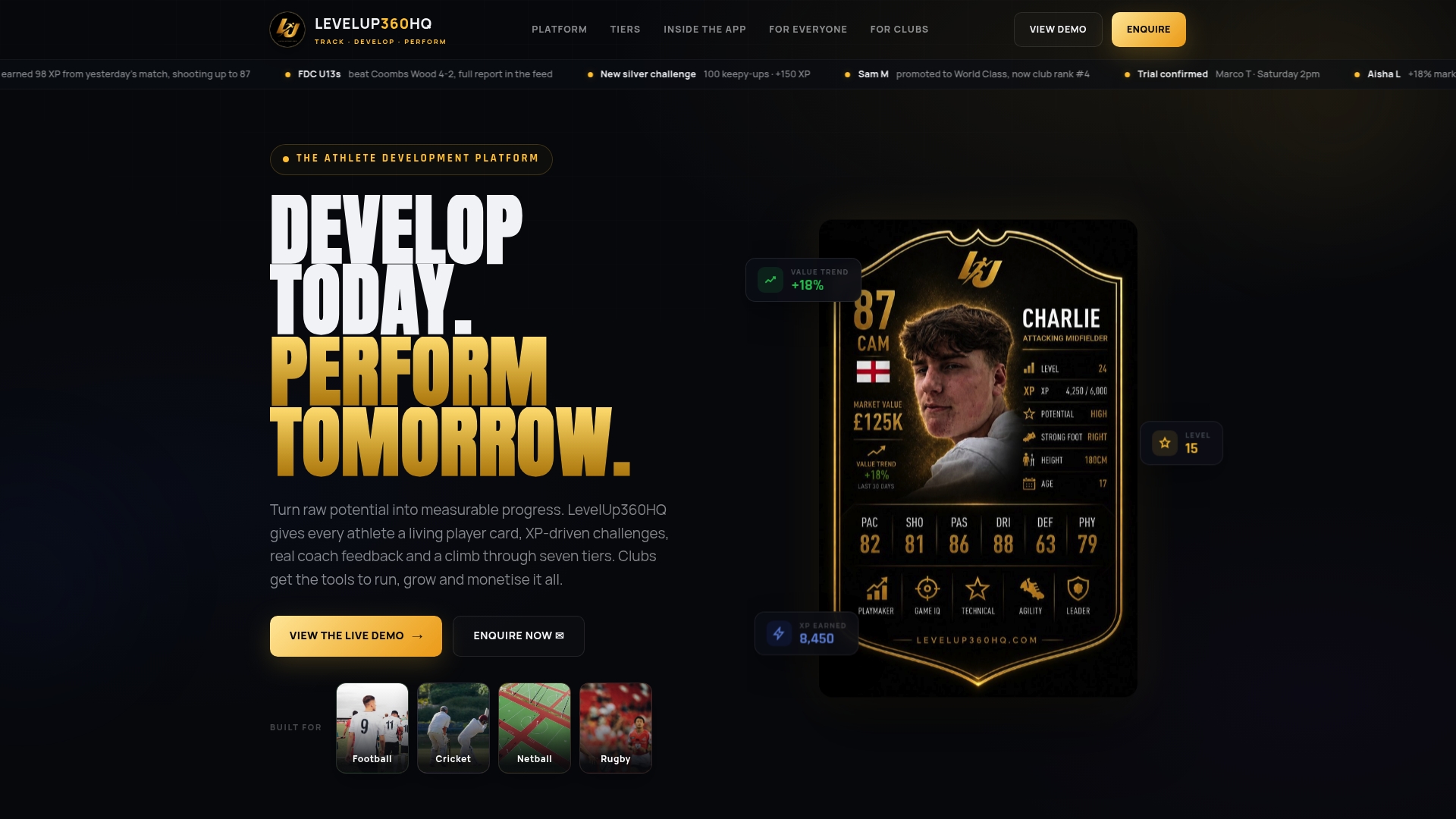
What makes a member platform worth having is that athletes, coaches and parents find it useful enough to open every week. Live player cards, XP challenges, badges and leaderboards give a young player a reason to come back, and a club-branded home for all of it makes that profile feel like part of the club they belong to. That is why we build white-label club platforms with CRM, subscriptions, payments and store integration in one place, so the club is not stitching together a website, a payment tool and a separate tracking app, each with its own address and its own login.
Youth safeguarding is built into the way we approach the platform, because a club’s address is a promise to parents. Keep your domain tidy, keep it in the club’s name and keep your member experience under one roof.
Chris
Where this fits with Levelup360hq
If you are choosing a platform for a club or academy, we build ours so that athletes, coaches and administrators work in one branded environment: live player cards with real-time ratings, video assessments with approval workflows, session management, CRM, subscription management and a club store. Our Pro plan is £49 per month, with an active athlete platform fee of £1.50 per month per active athlete, and a revenue share applies on payments handled through the platform. You can see the details on our pricing and demo page, or start from the Levelup360hq home page.
Frequently asked questions
Do we need a custom domain to run a club platform?
No. Platforms work from their default address, and that address normally stays available even after you add your own. A custom domain is worth adding once families rely on the platform, because it makes links look official and lets you change software later without changing your address.
Should we use our .com, .org or .club domain?
Pick the extension your members will guess without thinking, and use the one you already own if you have one. Check the renewal price before buying, since first-year promotions are often much lower than the price from year two onwards. Whatever you choose, register it in the club’s name.
How long before the new address works?
Often within minutes for a new subdomain, and up to a day or more when an old record with a long cache time is being replaced. Lowering the TTL to 300 seconds a day before the change shortens the wait. If the certificate has not appeared after 24 hours, recheck the records for typos and duplicates.
Will connecting a domain break our club email?
Not if you use a subdomain and leave the root records alone. Email depends on records at the root of your domain, so changes there are the usual cause of lost messages. Make a note of the existing records before you edit anything.
Who should own the domain?
The club as an organisation, with a shared club email as the account login and the club’s card on auto-renew. Avoid registering it in a coach’s or volunteer’s own name, because when that person leaves, the club can lose control of its address.
Sources
Turn potential into a player card.
LevelUp360 tracks every match, builds your child's player card, and shows their development over time.
Get started free