Coach Dashboard Features: What to Look For and Why
Published 12 November 2026

A good coach dashboard puts the whole squad on one screen: who is training, who is improving, who needs attention and what is waiting for your approval. The best ones also plan sessions, handle video feedback, talk to athletes and parents, and protect young players’ data. This guide sets out each feature, why it earns its place and what to ask of any platform before your club commits.
TL;DR
- A coach dashboard is a single-screen view of the information you need to coach: squad status, progress over time, sessions and feedback.
- The core features are a squad overview, individual athlete profiles, session and syllabus planning, video assessment with approval workflows, and communication.
- Clubs and academies also need admin tools: memberships, payments, branding and reporting, all in the same place as the coaching tools.
- Dashboards only get used when they fit the way coaches already work, so simplicity beats feature count.
- With under-18s, check consent, permissions and messaging controls before anything else.
Table of Contents
- What a coach dashboard is for
- The core coach dashboard features
- Features clubs and academies need beyond coaching
- Why coaches stop using dashboards
- Safeguarding and privacy with youth athletes
- Perspective: why we built the dashboard around the athlete
- A practical way to compare coach dashboards
- See the dashboard in action
- FAQ
- Sources
What a coach dashboard is for
The sports medicine literature has a tidy definition. Aspetar’s sports medicine journal describes a dashboard as a visual display of the most important information, consolidated on one screen or sheet so the overall picture can be read at a glance. It also notes that indicators shown as graphics rather than text tend to land better with busy staff who are not used to scientific data, and it recommends replacing multipage reports with single-page, question-based views on a tablet or computer.
That is the right test for every feature below. A feature earns its place if it answers a question a coach actually asks on a Tuesday evening before training:
- Who has trained this week, and who has not?
- Who has improved, and who has stalled?
- What do I need to review or approve?
- What is the plan for tonight’s session?
If a screen cannot answer one of those quickly, it is decoration.
The core coach dashboard features
1. Squad overview
The home screen should show a group at a glance: attendance, recent activity, ratings or progress markers and anything flagged for attention. The Australian Institute of Sport’s AMS Coach Dashboard guide shows the pattern clearly. Its Group Overview tab pulls the main points of training and monitoring information together so coaches can see how athletes in a group are tracking and compare them.
Look for filters by age group, team, sport or coach, so a head of youth development and a single team coach each see a relevant view rather than everything.
2. Individual athlete profiles
Click any name and you should see that athlete’s full picture: their ratings, challenges completed, badges, video assessments, attendance and coach notes. The profile is where a squad number becomes a person, and where development conversations with the athlete or a parent start.
In a gamified platform such as ours, the profile is a live player card with real-time ratings and a market value, which the athlete sees too. That shared view matters: when coach and player look at the same numbers, the conversation moves from “what do you think of my season?” to “what shall we work on next?”
3. Progress tracking over time
A snapshot is useful; a trend is better. Strong dashboards show how metrics move across weeks and seasons, so you can tell a bad fortnight from a real plateau.
Research on a coach dashboard for cyclic sports, published by Goudsmit and colleagues in MDPI Sensors, shows what a thorough version can include: external load such as duration, distance and speed, internal load such as heart rate and heart rate zones, and daily questionnaires on mood, stress, muscle soreness, sleep and fatigue. The aim there was to help coaches monitor the risk of overreaching and overtraining.

Most grassroots clubs and academies do not run heart-rate monitoring on every player. The principle still transfers: combine what you can measure with what the athlete tells you, and show both over time. In a skills-based platform that means ratings, XP earned, tier progression and completed challenges, plotted against the weeks.
4. Session and syllabus planning
Planning tools turn the dashboard from a report into a working tool. Features to look for:
- Session builder: drills, durations, equipment and coaching points in one place.
- Syllabus or curriculum: a defined pathway by age group or level, so every coach in the club teaches to the same plan.
- Calendar and scheduling: sessions, fixtures and events visible to coaches and, where appropriate, families.
- Attendance capture: a quick register on a phone at the pitch side.
- Reusable templates: so a good session is run again, not rewritten.
A shared syllabus is one of the most underrated features for academies. It is what keeps a U9 session in one venue recognisably connected to a U13 session in another.
5. Video assessment and feedback
Video is where a lot of real coaching happens now: an athlete uploads a clip of a technique, a coach reviews it, scores it and leaves feedback. What turns this into a process rather than a pile of clips is the workflow around it:
- Athletes submit clips against a specific challenge or skill.
- The coach reviews, rates and comments.
- An approval step confirms the result before it changes the athlete’s rating or tier.
- The athlete is notified and can see exactly why the rating moved.
Approval workflows protect the credibility of the system. If ratings can move without a coach’s sign-off, players and parents stop trusting them. If every clip lands in a coach’s inbox without structure, coaches stop reviewing. The dashboard should show a clear queue of what is waiting.
6. Communication and feeds
Coaches spend a surprising share of their volunteer or part-time hours on messages: kick-off times, kit, who is injured, who has progressed. A dashboard that holds announcements, team updates and a social feed in one place reduces the number of scattered group chats. A feed that celebrates achievements, like badges earned or a new tier reached, also keeps motivation visible between sessions.
7. Reports and AI assistance
Reporting is where time is saved. Look for automatic summaries that turn raw activity into something readable: a match report, a development summary for a parent evening, a suggested training plan based on where an athlete’s ratings are weakest. AI-assisted drafts are a starting point that the coach reviews and edits, never a replacement for the coach’s eye.
Features clubs and academies need beyond coaching
Coaches see the dashboard daily, but the club’s administrators decide whether to adopt it. A platform that handles only coaching leaves them running memberships and payments on separate tools. For clubs and academies, look for:
| Area | What it should do | Why it matters |
|---|---|---|
| Branding | White-label look with the club’s name, colours and logo | Families see the club, not a third-party tool |
| Membership and CRM | Athlete, parent and coach records, contact history, enquiries | One source of truth instead of spreadsheets |
| Subscriptions and payments | Recurring athlete fees, event bookings, payment tracking | Less chasing, steadier cash flow |
| Store integration | Kit and merchandise linked to the club’s platform | Extra revenue without extra admin |
| Roles and permissions | Different access for admins, coaches, parents and athletes | Right people see the right data |
| Multi-sport support | One system across football, cricket, netball, rugby and others | Multi-sport clubs avoid running several tools |
| Reporting | Participation, retention and revenue summaries | Evidence for committees, sponsors and funders |
The commercial side deserves a close look at the pricing model. Ask whether you pay per coach, per athlete or per club, and whether payment processing carries a share of what you collect.
Why coaches stop using dashboards
The most useful finding in the research is not about any one feature. The Goudsmit study argues that coaches will only adopt a dashboard if they see added value for their own work and if it fits their existing routines. It also argues for co-creation between science and practice, with coaches involved while the tool is built.
Translate that into a buying checklist:
- Can a coach do the common tasks in under a minute? Registers, quick notes and clip reviews should be a few taps.
- Does it work on a phone at the pitch side? Most coaching happens outdoors, not at a desk.
- Does it replace something, or add to the pile? If it does not retire a spreadsheet or a group chat, it will be abandoned.
- Can you hide what you do not need? A cricket coach does not need rugby widgets.
- Do athletes get something back? If players never see the data, they have no reason to engage, and coaches end up doing all the work.
Safeguarding and privacy with youth athletes
When the athletes are children, features are only half the evaluation. Check these points before you roll anything out.
Children’s data. In the United States, the Children’s Online Privacy Protection Rule covers online services collecting personal information from children under 13. The FTC published amendments to the rule in the Federal Register in April 2025. If your club works with young children, ask any provider how parental consent is handled and have your club’s legal adviser or governing body confirm what applies to your set-up.
Messaging between adults and minors. The U.S. Center for SafeSport’s Minor Athlete Abuse Prevention Policies include an electronic communications policy among the required policies limiting one-on-one interactions between adults and minor athletes. For a dashboard, that means asking whether messaging can be restricted, whether parents can be included, and whether the club can see how communication is set up. Check your own governing body’s rules, as national governing bodies set their own policies.
Access control. Coaches should see their own groups, not the whole club. Parents should see their own child. Admins should be able to remove access the day a coach leaves.

Public visibility. Player cards and leaderboards are motivating, but a club should decide what is shown publicly, what is visible only inside the club, and who decides for a minor. Parents need a clear say.
Perspective: why we built the dashboard around the athlete
We started from a simple observation: most coaching tools are built for the coach and the athlete is an afterthought. The coach logs data, the athlete never sees it, and engagement fades within weeks.
At LevelUp360HQ we flipped that. Every athlete has a live player card with real-time ratings and a market value, XP-driven challenges, tiers to climb and badges to earn. The coach’s dashboard feeds that card through video assessments and approval workflows, so a rating means something because a coach signed it off.
We also think clubs should not need three systems to run one programme. Our platform is designed to combine coaching tools, AI-driven match reports and training plans, white-label branding, CRM, subscriptions, store integration and monetisation in one place, across football, cricket, netball, rugby and more. Youth safeguarding is built into how we configure it, because a dashboard for young athletes has to start from trust.
Our view is that when athletes own their development and coaches have a clear, quick view of it, clubs get better engagement, better visibility for their players and a healthier business.
Chris
A practical way to compare coach dashboards
Whatever platform you consider, score it against the same questions. A simple scorecard keeps a committee meeting from turning into a debate about whichever demo looked flashiest.
| Question | What a good answer looks like |
|---|---|
| Is there a squad overview? | One screen with attendance, progress and flagged items, filterable by team |
| Are there athlete profiles? | Ratings, history, videos, notes and badges in one place |
| Can coaches plan sessions? | Session builder, syllabus, calendar and attendance |
| Is video feedback structured? | Submission, review, approval and notification |
| Is communication contained? | Feed and messaging with permission controls |
| Are there admin tools? | Branding, CRM, subscriptions, payments and store |
| Does it handle youth data? | Role-based access, parental controls, clear visibility settings |
| Is pricing transparent? | Published plan and per-athlete charges, with processing terms explained |
Run the scorecard with two or three coaches who will use the tool every week, not only with administrators. Their verdict on speed and clarity predicts adoption better than any feature list.
See the dashboard in action
If you run a club or academy, our Pro plan is £49 per month, plus a platform fee of £1.50 per month per active athlete. A revenue share applies on integrated payments. It brings the coach dashboard, live player cards, video assessments, session management and club administration tools into one white-label platform.
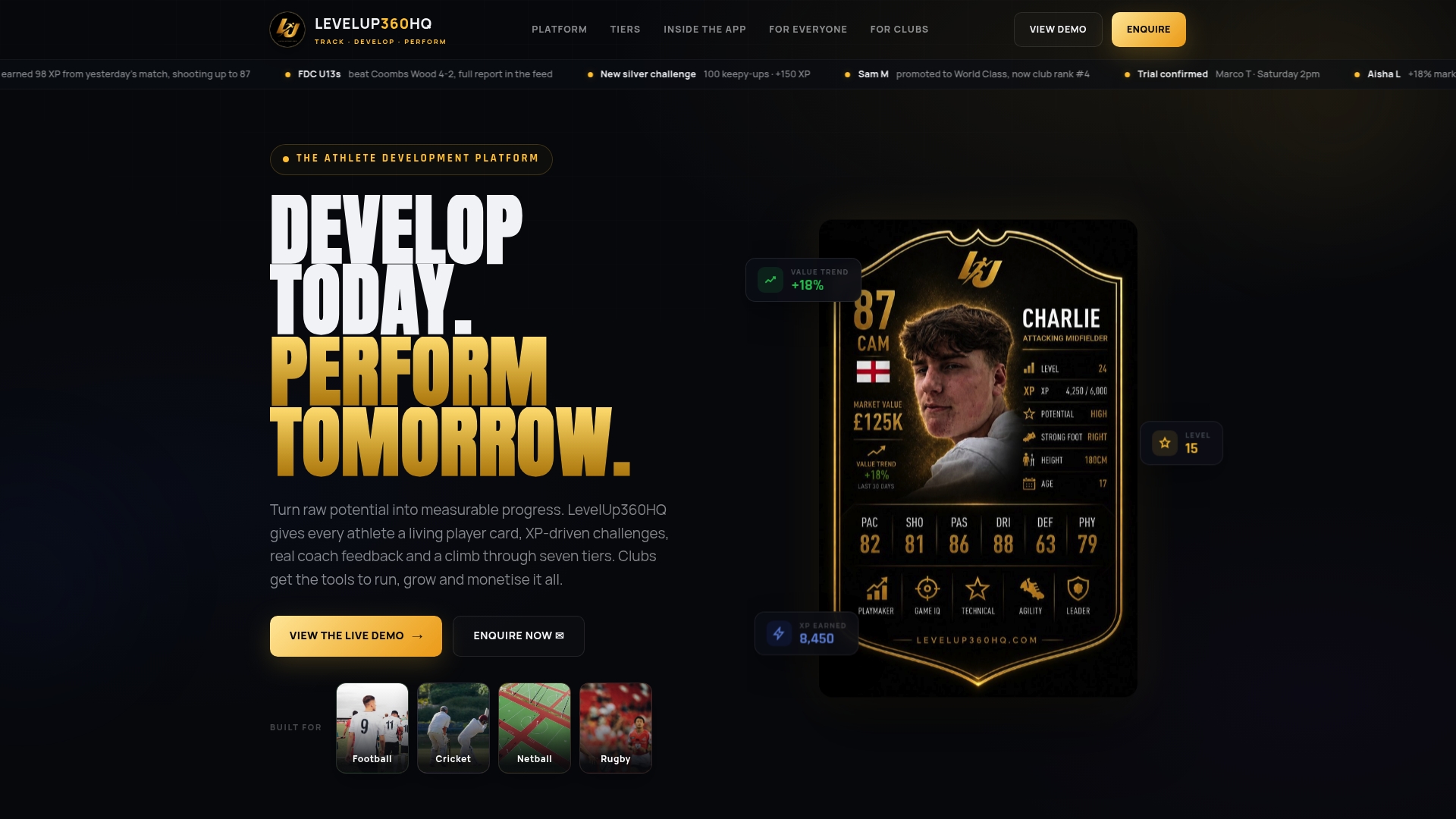
You can look at the LevelUp360HQ prototype and pricing to see how the features fit together, or read more on the LevelUp360HQ home page.
FAQ
What is the most important coach dashboard feature?
A clear squad overview is the foundation, because it answers “who needs my attention today?” in seconds. After that, structured video feedback and session planning deliver the most day-to-day value. Features only matter if coaches use them, so speed and simplicity count for more than breadth.
Can a coach dashboard track player development, not just attendance?
Yes. Good dashboards show ratings, challenge completion and feedback over weeks and seasons, so you can see trends rather than snapshots. Research dashboards for elite sport also combine training load with athlete questionnaires on mood, sleep and fatigue. For most clubs, ratings, XP, tiers and coach assessments give a practical version of the same idea.
Do athletes and parents see the coach dashboard?
Usually not the coach view itself, but they should see their own profile. In our platform athletes see their live player card, badges and leaderboard position, while coaches manage assessments and approvals. Clubs should set what parents can see and what is visible beyond the club.
What should a club check before using a dashboard with under-18s?
Check how parental consent is handled, who can see each child’s data and whether messaging between adults and minors can be controlled. In the US, the FTC’s children’s privacy rule and your governing body’s safeguarding policies are the starting points. Your club’s legal adviser or safeguarding lead can confirm what applies.
How much does a coach dashboard cost?
It depends on the model: per coach, per athlete or per club, sometimes with a share of payments. Ours is a £49 per month Pro plan plus £1.50 per month per active athlete, with a revenue share on integrated payments. Compare total monthly cost at your real athlete numbers, not the headline plan price.
Sources
- Aspetar Sports Medicine Journal: Monitoring training status with player tracking technology
- AMS Coach Dashboard, Australian Institute of Sport
- Co-Operative Design of a Coach Dashboard for Training, MDPI Sensors
- Children’s Online Privacy Protection Rule, Federal Register
- Minor Athlete Abuse Prevention Policies, U.S. Center for SafeSport
Turn potential into a player card.
LevelUp360 tracks every match, builds your child's player card, and shows their development over time.
Get started free