Build a Scout Pipeline in 90 Days With TAP and SafeSport
Published 10 October 2026

A scout pipeline is a repeatable, phase-based workflow that turns raw scouting observations into recruit and development decisions. The first move is to standardise a single player card and a single observation form before you watch another match. Anchor the process to the integrative phase-based TAP framework, the U.S. Soccer key qualities, and SafeSport’s MAAPP guidance so the system is both consistent and compliant from day one.
TL;DR:
- Separate assessment from promotion across detection, orientation, identification, selection, and verification, so one poor session does not close a player’s file.
- Standardize one player card with session context, ratings against all six U.S. Soccer qualities, timestamped video, and brief notes on strengths and improvement needs.
- Keep evaluations comparable with identical tasks and exposure times, scheduled observation windows, named observers, and player rotations across positions or groupings.
- For minors, obtain signed consent for individual sessions, keep interactions observable and interruptible, and track adult training before contact or within 45 days, with annual refreshers.
- Pilot one age group in two trial events with fixed tasks and exposure times, then review card completion, decision ownership, and coach confidence after six weeks.
Table of Contents
- The phase-based pipeline: from detection to development
- Designing observation windows, trials and ID sessions
- Standardised scout reports and the player card schema
- Tools and workflows that support a repeatable pipeline
- Safeguarding and consent: building SafeSport controls into the pipeline
- 90-day implementation checklist: roles, milestones and a minimal tech stack
- Why a structured pipeline beats ad-hoc scouting
- Start implementing: demo and pilot suggestions
- FAQ
- Sources
The phase-based pipeline: from detection to development
The TAP framework structures talent processes into stages that map cleanly onto a club pipeline: detection, orientation, identification, selection and verification. Detection casts a wide net across fixtures and summer camps. Orientation narrows focus to players worth repeated viewing. Identification applies structured criteria and produces a shortlist. Selection converts that shortlist into training invites or squad offers. Verification tracks whether the decision holds up once the player is inside the programme.
TAP treats assessment and promotion as parallel streams rather than one linear judgement. Assessment is what you record: ratings, notes, video. Promotion is what you offer the player next: a trial invite, a development plan, a place in a squad. Keeping these separate stops a single poor session from ending a player’s file, and it stops strong early form from guaranteeing selection later.
Each stage should leave a concrete output behind:
- Detection: a longlist of tagged player cards with basic context.
- Orientation: a shortlist with repeat-viewing notes attached.
- Identification: scored player cards against key qualities.
- Selection: an invite list with named decision owners.
- Verification: a development plan reviewed on a set schedule.
Designing observation windows, trials and ID sessions
Consistent data depends on consistent conditions. U.S. Soccer’s Talent Identification Centers are free, single-day events built to replicate youth national team camps, and they close sessions to parents and spectators to protect a controlled evaluation environment. That design choice matters more than most clubs realise: fewer distractions and a smaller observer pool produce more comparable notes across players and sessions.
Build your own sessions around the same principles:
- Fix the task set: the same drills, small-sided games or match minutes for every age group being assessed.
- Fix the duration: equal exposure time per player, not a longer look for the player a coach already rates.
- Schedule observation windows in advance so scouts know exactly when live evaluation starts and stops.
- Limit observers to named roles, mirroring how Talent ID Centers restrict spectators and only allow club representatives in designated areas with prior approval.
- Rotate players through positions or groupings so evaluators see the same range of situations for everyone.
Pro Tip: Film every session on a fixed camera position, then sync clips to scout notes the same evening while memory of the session is still sharp.
Collecting video alongside written notes gives you two independent records of the same moment, which matters when a selection decision gets challenged later. Store both against the player’s card immediately rather than batching uploads at the end of the week.
Standardised scout reports and the player card schema
A scout report is only useful if every scout fills in the same fields the same way. Build the player card around a short, fixed schema:
- Identification: name, date of birth, position, club, session date.
- Context: competition level, weather, opponent standard, minutes played.
- Ratings 1 to 10 against each of the six key qualities: game understanding and decision making, technical execution, physical execution, growth mindset and winning mentality, responsibility and self-regulation, and learning ability.
- Video clips with timestamps linked to specific rating entries.
- Two short qualitative prompts: best moment observed, and the single biggest improvement need.
Pro Tip: Keep qualitative prompts to one sentence each. Long narrative notes get skipped by busy scouts and rarely get reread by selectors.
Using the key qualities as named fields rather than a generic “overall impression” score gives every scout the same vocabulary, which is what makes player cards comparable across games, seasons and evaluators. Store cards centrally rather than in individual scouts’ notebooks or phones, so a selection meeting can pull every data point on a player in one place.
Tools and workflows that support a repeatable pipeline
Five tool classes cover most of what a pipeline needs: mobile scout apps for in-session entry, video tagging platforms that link clips to timestamps, a central player card database, a CRM-style prospect tracker, and an approval workflow that routes reports from scout to coach to administrator.
A reliable workflow looks like this:
- A scout submits a report and rating straight from the touchline.
- A coach reviews the report, adds context, and flags the player for further viewing or advancement.
- An administrator tags the player in the club’s prospect CRM against the relevant stage.
- A development or selection decision is logged against the player’s card with a named decision owner.
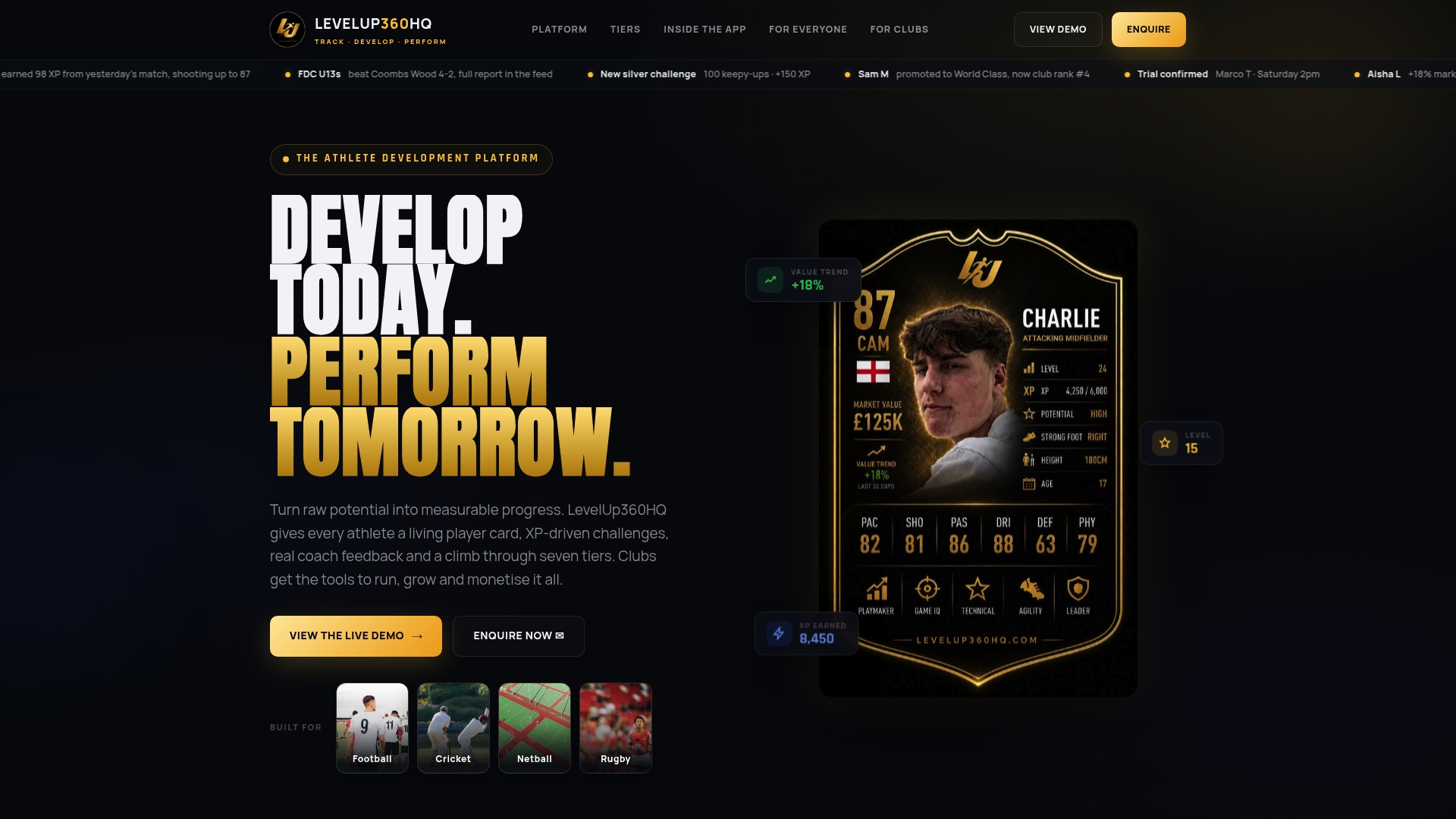
We built LevelUp360HQ around exactly this chain: live player cards with real-time ratings, video assessments with coach approval steps, a club CRM for tracking prospects through stages, and monetisation tools for clubs running paid trial events or academy subscriptions. The point of combining these in one place is that a report never has to be re-entered or re-found: it moves from scout to coach to decision without leaving the system.
Safeguarding and consent: building SafeSport controls into the pipeline
A pipeline that collects data on minors has to be compliant by design, not as an afterthought. The U.S. Center for SafeSport’s MAAPP requires that individual training sessions stay observable and interruptible, that one-on-one interactions are limited, that adults in regular contact with minors complete mandatory training, and that clear reporting mechanisms exist. Adults with regular contact must complete that training before contact begins, or within 45 days, with refreshers required annually.
Translate those rules into concrete pipeline controls:
- Require signed consent before any individual training session, not just group trials.
- Keep every observation session visible to a second adult or in an open space.
- Track adult training completion dates against the 45-day and annual refresh requirements.
- Log every session and report for audit purposes, with a named reporting contact published to parents and staff.
Pro Tip: Map each pipeline stage to its own safeguarding control, for example treating the verification stage as the point where parental consent for any 1:1 development session becomes mandatory.
90-day implementation checklist: roles, milestones and a minimal tech stack
Four roles make the pipeline run: a scout who observes and scores, an evaluation coach who reviews and flags, a safeguarding officer who owns consent and training records, and a platform administrator who manages the CRM and reporting.

The minimum tech stack is small: a standard scout form template, a central player card system, video storage linked to timestamps, and CRM tags marking each player’s pipeline stage.
A practical rollout over 90 days:
- Weeks 1 to 2: finalise the standard scout form and player card schema, assign the four roles, and publish safeguarding consent templates.
- Weeks 3 to 6: run two pilot observation events using the fixed-task, fixed-duration design, scoring every player against the six key qualities.
- Weeks 7 to 12: scale the process to additional age groups, review decision consistency between scouts, and adjust the schema based on what evaluators found hard to score.
Success criteria for each milestone are concrete:
- After weeks 1 to 2: every scout is using the same form with no missing fields.
- After weeks 3 to 6: every pilot player has a complete card with video, ratings and at least one qualitative note.
- After weeks 7 to 12: selection decisions can be traced back to a named decision owner and a dated player card for every player advanced.
Why a structured pipeline beats ad-hoc scouting
Ad-hoc scouting rewards whichever player a coach happened to watch on a good day. A phase-based, standardised process forces every player through the same task, the same duration and the same rating scale, which is what makes identification fair rather than a matter of who got noticed first.
Gamified player cards add something ad-hoc notebooks cannot: a player can see their own ratings and progression, which turns scouting data into something they act on rather than a file they never see.
None of this needs to be heavyweight on day one. A five-person academy can run the same checklist as a large club, just with fewer concurrent events and a slower rollout.
— Chris
Start implementing: demo and pilot suggestions
We built LevelUp360HQ so clubs do not have to stitch together five separate tools to run the pipeline above. One system covers the player card, the video assessment and coach approval step, the CRM that tracks a prospect’s stage, and the monetisation tools a club needs for paid trial events or academy subscriptions.
A sensible pilot:
- Migrate one age group onto standardised player cards first, rather than the whole club at once.
- Run two trial events using the fixed-task, fixed-duration design described above.
- Measure engagement on player cards and compare coach confidence in selection decisions before and after six weeks.
Our platform runs on a subscription model with pricing details available on the pricing page and offers options including per-athlete fees and revenue sharing. Request a demo to see the player card, video assessment and CRM workflow running against your own age groups before you commit a full season to it.
FAQ
What is the first step in building a scout pipeline?
Standardise one player card schema and one observation form before running any new event. Every later stage, from orientation through to verification, depends on scouts entering comparable data from day one.
How many stages should a scout pipeline have?
The TAP framework sets out detection, orientation, identification, selection and verification as the core stages, treating assessment and promotion as parallel decisions rather than one straight line.
What should a scout report include?
A scout report needs player identification, session context, ratings against the six U.S. Soccer key qualities, and timestamped video clips tied to those ratings. Two short qualitative prompts, covering the best moment and the biggest improvement need, round out a card without inviting long, inconsistent narrative notes.
What safeguarding rules apply to youth scouting sessions?
The U.S. Center for SafeSport’s MAAPP requires individual sessions to stay observable and interruptible, limits one-on-one contact, and requires adults in regular contact with minors to complete training before contact begins or within 45 days, with annual refreshers. Consent templates and a published reporting contact should sit alongside every pipeline stage that involves 1:1 development work.
Does LevelUp360HQ replace the need for scouts and coaches?
No. LevelUp360HQ centralises player cards, video assessments, coach approvals and CRM tracking so the roles involved in scouting and coaching can work from one consistent record rather than separate notebooks or spreadsheets.
Sources
Turn potential into a player card.
LevelUp360 tracks every match, builds your child's player card, and shows their development over time.
Get started free