App Adoption for Sports Clubs: A Rollout Plan That Sticks
Published 2 November 2026

A club app succeeds when it solves one clear problem for the people who use it every week, and when the rollout is planned like a season, not announced in a group chat. Start with the gap you want to close, pick the tool that fits your coaches and families, check privacy and safeguarding before anyone signs up, launch with a small group, and measure a few simple things. This guide walks through each step for US clubs and academies.
TL;DR
- Name the problem first (attendance, development tracking, payments, communication), then choose the app. Not the other way round.
- For youth athletes, check COPPA, your vendor contract and SafeSport communication rules before launch.
- Pilot with one team and one or two coaches, then widen. Train coaches first, families second, athletes last but most visibly.
- Adoption is a habit: give every user a reason to open the app weekly, and make it the only place something important happens.
- Track a handful of measures you set before launch, and never reduce an athlete to a single score.
Table of Contents
- What “adoption” really means for a club
- Step 1: Start with the performance gap, not the product
- Step 2: Match the app to your athletes, coaches and sports
- Step 3: Check privacy, safeguarding and security before launch
- Step 4: Plan the rollout in phases
- Step 5: Train each group on what is in it for them
- Step 6: Build a weekly habit
- Step 7: Measure whether it is working
- Common reasons adoption stalls
- Our perspective
- Try it with one team
- FAQ
- Sources
What “adoption” really means for a club
Downloading an app is not adoption. Adoption means coaches run sessions through it, parents pay and book through it, and athletes open it without being asked. Most club apps fail in the gap between the first and the third of those.
That gap is rarely about the software. It is about whether the app replaced something or just added one more thing. If the old spreadsheet, the WhatsApp thread and the paper register all keep running, the app becomes a fourth place to check, and people drift back to what is familiar.
So the goal of a rollout is simple: pick the jobs the app will own, and retire the old way of doing each one on a stated date.
Step 1: Start with the performance gap, not the product
A 2017 article in the National Strength and Conditioning Association’s journal on implementing technology says organisations should identify and prioritise the performance gaps first, and warns against deciding on the solution before the problem is defined. The same article suggests weighing the validity and reliability of what the tool measures, its benefits, its cost and the staff time needed to collect, clean and analyse data.
For a sports club, turn that into a short written brief:
- The problem. For example: “Coaches have no shared record of progress between seasons” or “We chase parents for payments every month.”
- The knowledge sought. What decision will the data help someone make? Selecting a squad, spotting a player ready to move up an age group, deciding who needs extra sessions.
- The people who will use it. Coaches, administrators, parents, athletes and, in some clubs, scouts.
- The time budget. How many minutes per week can a volunteer coach realistically give?
- The retired process. Which spreadsheet, form or chat group stops when the app starts?
A guide from an athlete-management software maker makes a similar point: define why you need a centralised platform, choose an initial focus and tackle the highest-benefit, lowest-effort questions first. In practice, that means launching with one or two features that save people time, then adding the rest.
Step 2: Match the app to your athletes, coaches and sports
The NSCA article’s advice on fit is to choose technology based on the knowledge you are seeking and the gaps you have found, and to involve the professionals who will actually use it. Invite two coaches, one parent and, if your athletes are old enough, one or two players to the demo. They will spot friction that an administrator will not.
Use these criteria when you compare options. We describe the types of tools rather than naming products, because the right type depends on your club.
| Type of tool | Good at | Watch for |
|---|---|---|
| Team scheduling and chat apps | Fixtures, availability, messages | No development tracking; another chat to monitor |
| Club management and booking software | Registration, payments, memberships | Little for athletes themselves, so engagement can be low |
| Performance and wearable analytics | Load and physical data | Staff time to clean and interpret data; narrow sport focus |
| Unified athlete development platforms | Profiles, ratings, challenges, coach assessments and club admin in one place | Needs a clear plan so that features are introduced in stages |
Some questions to put to any vendor:
- Does it support every sport and age group in your club, or only one?
- Can coaches assess and approve progress without hours of admin?
- Can you brand it as your club’s own, so families see your name?
- How does it handle consent, youth accounts and parent access?
- What happens to the data if you leave?
- What does it cost per month, and what does it cost as you grow?
The last question matters more than it looks. A flat monthly fee plus a small per-athlete charge behaves very differently from a high fixed price when your membership swings between seasons.
Step 3: Check privacy, safeguarding and security before launch
This is the step clubs skip and regret. If your athletes include children, three US frameworks are worth understanding before you roll anything out. None of this replaces advice from a lawyer who knows your state and your club’s structure.
COPPA and children under 13
The FTC explains that the Children’s Online Privacy Protection Rule covers network-connected mobile apps and applies when a service is directed to children under 13, or knows it collects personal information online from them. Covered operators must get verifiable parental consent before collecting, using or disclosing a child’s personal information, give parents access and control, use reasonable security, limit what they collect, and keep written retention and deletion procedures.
As a club, ask the vendor in writing how it handles parental consent for under-13s, what it collects, how long it keeps it and how a parent can ask for deletion.
FERPA, if you work with schools
If your club runs programmes on behalf of a school, the US Department of Education notes that FERPA protects personally identifiable information in education records maintained by a school or by a party acting for the school, and that a vendor contract must appropriately limit use and disclosure. Independent community clubs are often outside this, but school-partnered academies should check.
SafeSport and electronic communication
The U.S. Center for SafeSport says electronic communications between an adult participant and a minor athlete must be open and transparent, with a parent or guardian, another adult family member or another adult participant copied. Its 2025 policy manual names health and fitness applications and video coaching as forms of electronic communication, and it recommends platforms that let users see and track communications.
That gives you a practical test for any app: can a parent see what a coach sends to their child? Is there any private one-to-one messaging between an adult and a minor that nobody else can see? Choose settings and a policy that keep communication visible.
Security vetting
NIST’s guidance on vetting mobile apps says an organisation should define its app security requirements first, then weigh testing results, data sensitivity, how critical the app is, who the target users are, where the developer comes from and the organisation’s own risk tolerance. The same publication’s position is that a listing in an app store is not enough for organisational use. A club should make its own risk-based decision.
A simple version for a club committee: write down what data the app holds (names, ages, photos, video, payment details), who can see it, who at the vendor can access it and what happens in a breach. Then ask the vendor to answer each point.
Step 4: Plan the rollout in phases
A phased launch gives you a chance to fix what is broken while the audience is small. A workable plan for a club with several teams looks like this.

Weeks 1 to 2: set up
Configure the app with your club name, age groups, teams and sessions. Decide which two or three jobs it owns from day one. Write a one-page guide for each audience: what it is for, what to do first, who to ask for help. Settle your communication and safeguarding rules and put them in that guide.
Weeks 3 to 4: pilot with one team
Choose a team with a willing coach, not the most senior one. Run real sessions through the app. Ask the coach every week what took too long. Small fixes now (a simpler template, a shorter assessment form) will be copied across the club later.
Weeks 5 to 8: coaches, then families
Train coaches in a short, practical session, ideally 45 minutes at the ground with their own phones, not a long slide deck. Then invite families by team, with the coach introducing it. A message from the coach carries far more weight than one from the office.
Week 9 onwards: whole club
Set the date the old process ends. Announce it early and keep to it. Then review what the pilot team learned and fold it into the next intake.
Step 5: Train each group on what is in it for them
People adopt a tool when they can see their own benefit in the first five minutes. Tailor the pitch.
- Coaches want less admin. Show them how a session plan, a register and a skills assessment can be done in one place, and how progress carries over from season to season so they do not start from scratch.
- Parents want clarity and confidence. Show them fixtures, payments, their child’s progress and what the coach can and cannot see or send.
- Athletes want recognition. Show them their profile, how they earn points, and what the next level requires.
- Administrators want fewer chasing tasks: payments, memberships and bookings in one view.
- Scouts and development staff want comparable, consistent information about players, which only exists if coaches use the same assessment framework.
Run a 10-minute family session before a match or training night, and record a short walkthrough that new joiners can watch. Nominate one “app lead” per team, a parent or assistant coach who can answer basic questions so the head coach is not the help desk.
Step 6: Build a weekly habit
Usage follows reasons. If you want people to open the app every week, give them reasons that recur.
- Make it the single source of truth. Team news, session changes and results live in the app only. If it is also posted elsewhere, people will stop checking.
- Use a weekly rhythm. Set the team’s goal on Monday, post a challenge midweek, recognise a player on the weekend.
- Reward effort, not just talent. Points and badges for attendance, consistency and completing development tasks keep the middle of the squad engaged, not only the stars.
- Show progress visibly. Young athletes respond to seeing a rating, a level or a badge move. Coaches can mention it in the session.
- Keep coach feedback quick. A 30-second video comment or a short rating update after a session is better than a long report weeks later.
- Involve families lightly. Parents who can see progress, pay and book in one place rarely need chasing.
- Celebrate in public. Mention an earned badge or tier at the end of training. It tells everyone the app matters.
Be careful with competition. Leaderboards motivate some players and discourage others. Offer team or personal-best views alongside rankings, particularly for younger age groups.
Step 7: Measure whether it is working
Decide your measures before launch, so you are not hunting for good news afterwards. A reasonable set for a club:
| Area | Example measure | How to read it |
|---|---|---|
| Reach | Share of registered families with an active account | Below your target by week 8? Look at onboarding, not at families |
| Habit | Weekly active users by role | Coaches first: if they do not use it, nobody will |
| Operations | Hours of admin per month; share of payments made on time | Compare with the same months last season |
| Participation | Attendance and re-registration rates | Change takes a season to show |
| Development | Number of completed assessments per player per term | A measure of coach use, not player quality |
The NSCA article cautions that any technology implementation must be clear about what the data can and cannot measure, and should avoid reducing complex athlete states to a single score or colour. Ratings and levels are useful motivators and conversation starters. They are not a verdict on a child. Coaches should use them alongside what they see on the pitch, court or field.
Review at 30, 60 and 90 days, and again at season’s end. Keep what is used, drop what is not, and ask coaches what they would remove.
Common reasons adoption stalls
- Too many features at launch. Start with two. Add the rest when those are routine.
- No retirement date for the old process. Two systems always become none.
- Coaches treated as an afterthought. They are the channel to every family.
- Privacy questions left until a parent asks. Publish your answers before they do.
- No owner. Name one person responsible for adoption, with a few hours a week.
- Silence after launch. Share small wins monthly, such as the first badge earned or the first on-time payment month.
Our perspective
We built LevelUp360HQ around a simple belief: athletes stay engaged when they can see their own development, and clubs grow when running the club stops eating the coaches’ time.
That is why we put the athlete at the centre, with a live player card, ratings, XP-driven challenges and tier progression, and put the coach and club around them with video assessments, approval workflows, session management, CRM, subscriptions and store tools. When those pieces sit in one platform, the app is not an extra chore. It is where the club actually happens.
Our advice to any club is to adopt in layers. Start with the sessions and the player cards. Let coaches see the time saved. Then bring in challenges, badges and the community feed once the habit is formed, and switch on monetisation when families already trust the platform. Youth safeguarding has to be part of the design from the first day, not bolted on later, and we built our platform with that in mind.
Gamification works best when it rewards effort and progress for everyone in the squad. Configure it that way, and the app becomes something athletes want to open.
Chris
Try it with one team
If you want to see how this plan works with a configurable, multi-sport platform, our Pro plan costs £49 per month, with an active athlete platform fee of £1.50 per month per active athlete. There is also a revenue share on integrated payments, for which no price is published. A small pilot team keeps your costs low while you test the habit.
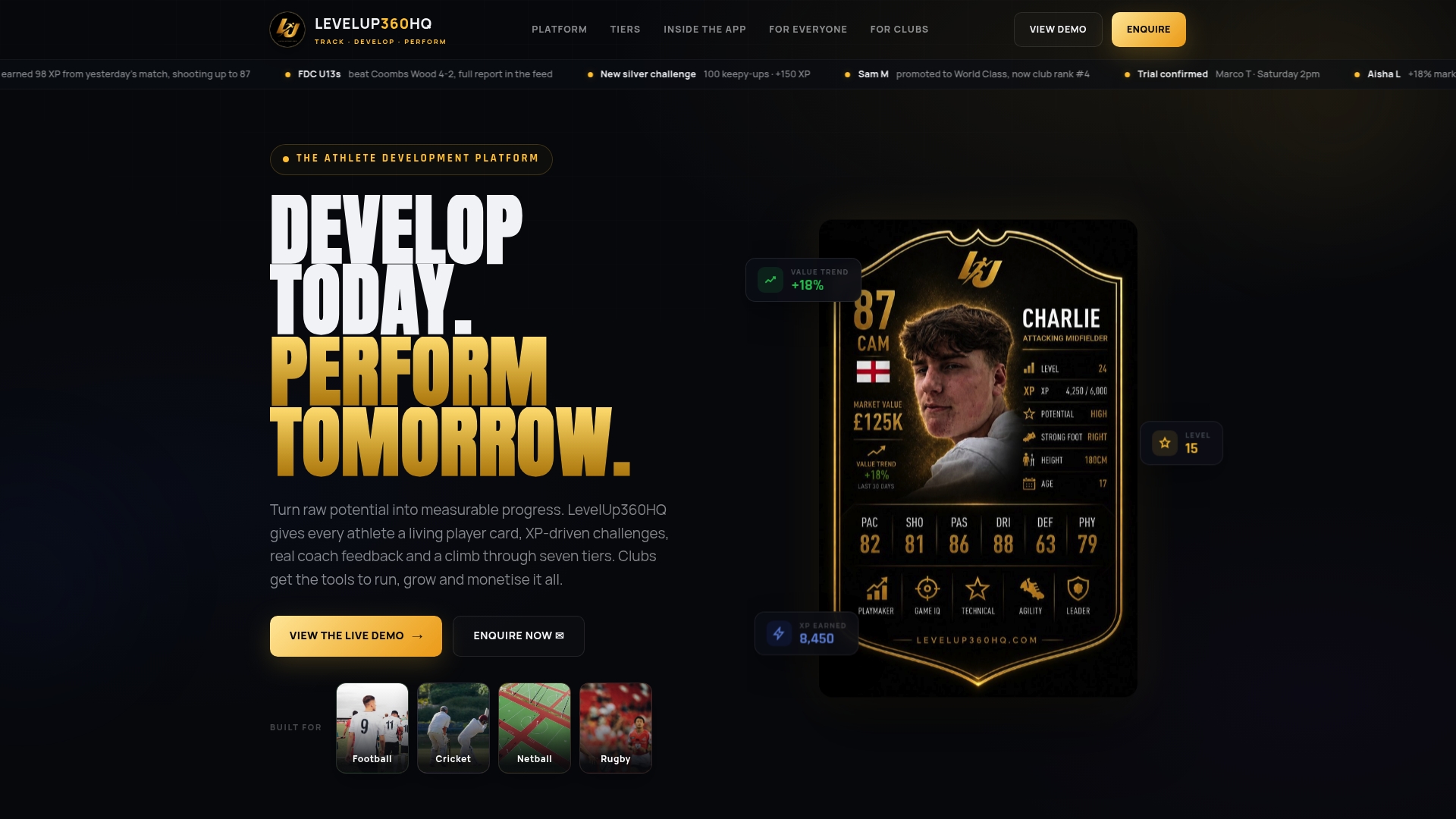
You can look at the prototype and the pricing on the LevelUp360HQ demo page, or find out more about what the platform does for athletes, coaches and clubs.
FAQ
How long does it take a sports club to adopt a new app?
A pilot team can be running within two to four weeks. Whole-club adoption usually takes a full term or season, because families join as their coach introduces the app. Plan for a phased launch and a fixed date when the old process ends.
Should every athlete be required to use the app?
Make it the only place where important club information lives, and families will come to it. Requirements without benefits breed resentment. For under-13s, a parent must create or consent to the account, in line with FTC guidance on COPPA.
What should we ask an app vendor about youth safety?
Ask how parental consent is collected, what data is stored and for how long, who at the vendor can access it, and whether parents can see coach communications. SafeSport expects communication with minor athletes to be open and transparent, so choose a platform and settings that make it visible.
How do we know the app is worth the cost?
Compare admin hours, on-time payments, attendance and re-registration against the same period last season, and track how many coaches complete assessments each term. Set these measures before launch. Treat ratings as a prompt for coaching conversations, not as a final judgement on a player.
Can a small volunteer-run club do this?
Yes. Choose a tool that covers two or three jobs well, name one app lead per team and pilot with a single squad. Small clubs often adopt faster because fewer people need to agree.
Sources
- Critical Process for the Implementation of Technology in Sport Organizations (NSCA Strength and Conditioning Journal, 2017)
- Looking for an Athlete Management System? Key Factors to Consider
- Children’s Online Privacy Protection Rule: A Six-Step Compliance Plan for Your Business (FTC)
- Responsibilities of Third-Party Service Providers under FERPA (U.S. Department of Education, 2015)
- Vetting the Security of Mobile Applications, NIST SP 800-163 Rev. 1 (2019)
- Communicate Safely with Minor Athletes (U.S. Center for SafeSport)
- 2025 MAAPP Manual (U.S. Center for SafeSport)
Turn potential into a player card.
LevelUp360 tracks every match, builds your child's player card, and shows their development over time.
Get started free