Access live player performance cards: guide for coaches and clubs
Published 29 July 2026

Access live player performance cards via an embeddable iFrame widget for fastest deployment, or through a direct API feed when you need coach-grade, event-level data. Platforms such as Levelup360hq, Stats Perform, and Sportradar each support both routes, and the right choice depends on how granular your metrics need to be.
Two routes at a glance:
- iFrame / embeddable widget: Sign up or request access, embed the provided code snippet, configure branding, go live. Typical deployment is quick.
- API + live feeds: Procure feed credentials, select Live Timelines or Push Statistics endpoints, build your card renderer, test latency, then launch. Most basic iFrame/widget setups launch in under two weeks; API integrations usually take several weeks.
Table of Contents
- How do athletes, coaches and club admins start viewing live cards without developer work?
- How should developers choose between iFrame and API for live card integration?
- Which metrics actually matter on a live player performance card?
- What UX and engagement practices keep athletes coming back to live cards?
- UK privacy and consent checklist for live player data
- Practical rollout checklist: from decision to live
- How Levelup360hq delivers gamified, coach-grade live player cards for UK clubs
- Security considerations for live data transmission
- Which sports does Levelup360hq support, and how do data sets vary?
- Key takeaways
- Why live, gamified player cards are changing athlete development right now
- Levelup360hq: see live player cards in action for your club
- Useful sources and further reading
How do athletes, coaches and club admins start viewing live cards without developer work?
For most users, the fastest path is joining a hosted platform that already serves live cards. No code required.
Step-by-step for athletes and coaches:
- Create an account on your club’s chosen platform (e.g. Levelup360hq).
- Join your club or competition within the platform.
- Navigate to your player card or squad view and enable the live card feature.
- Authorise data sharing and confirm your consent preferences when prompted.
- Your card updates automatically once a live match feed is active.
For club admins:
- Log into the admin dashboard and navigate to squad or team settings.
- Enable live card visibility for each team or athlete group.
- Assign data-sharing permissions and confirm consent records are in place.
- Use the platform’s demo or preview page to verify branding, data fields, and card layout before pushing live to athletes.
Pro Tip: Before enabling live cards for a full squad, check coverage tiers for your competitions. Lower-tier fixtures may not receive live updates, so confirming coverage first prevents athletes seeing blank cards mid-match.
How should developers choose between iFrame and API for live card integration?
The decision comes down to speed versus depth. Embeddable solutions deploy quickly with custom branding and integrated visuals, but API integrations with Live Timelines and Push Statistics are necessary when you need granular, event-level coaching data.
| Dimension | iFrame / Widget | API + Live Feeds |
|---|---|---|
| Speed to launch | Under two weeks | Several weeks |
| Customisability | Moderate (branding, layout) | Full control |
| Data granularity | Summary stats, match scores | Event-level, per-player fields |
| Latency | Provider-managed | Configurable via websockets |
| Coaching suitability | Spectator / engagement focus | Coach-grade, intervention-ready |
Integration checklist:
- Confirm coverage: query the Live Schedules or coverage endpoint for your target competitions.
- Select your feed: Live Timelines for sequence-level events, Push Statistics for aggregated match stats.
- Authenticate: obtain API credentials and configure token-based auth headers.
- Implement caching: cache non-live fields (player names, team colours) to reduce redundant calls.
- Set rate limits: respect provider rate limits and implement exponential back-off on failures.
- Configure webhooks or websockets for push delivery rather than polling.
- Test latency end-to-end before pilot matches.
Pro Tip: Run a latency test against a live fixture in your target coverage tier before committing to a card refresh rate. A 5-second polling interval feels fine in testing but noticeably lags during high-tempo passages of play.
Which metrics actually matter on a live player performance card?
Coaches need two layers: a macro summary for quick orientation, and micro event-level detail for actual intervention. Relying on a single composite score reduces coaching actionability significantly.
Macro metrics (match orientation):
- Overall match rating
- Minutes played and substitution status
- Match impact score (touches in key zones)
Micro metrics (coaching intervention):
- Pass accuracy and progressive pass count
- Tackle location and success rate
- Sprint velocity and distance covered
- Expected goals involvement (shots, key passes)
Velocity and nuanced technical metrics are particularly useful for detecting form shifts. A player whose sprint velocity recovers across matches is showing a measurable return to form, not just a subjective one.
Example card field mapping:
| Feed field | Displayed label | Intended use |
|---|---|---|
player_rating |
Match rating | Engagement, quick overview |
pass_accuracy |
Pass % | Coaching: distribution quality |
sprint_velocity |
Top speed (km/h) | Coaching: physical form |
tackle_location |
Tackle zone map | Coaching: defensive positioning |
xg_involvement |
Goal involvement | Engagement + coaching |
minutes_played |
Time on pitch | Substitution decisions |

Pro Tip: Give coaches a toggle between the summary score and the event-level feed view. Summary scores drive engagement for athletes checking their own cards; the event-level detail is what coaches actually use to plan the next session.
What UX and engagement practices keep athletes coming back to live cards?
The evidence from broadcast media is instructive. Peacock’s Performance View uses real-time overlays and live player cards to shift the experience from passive watching to active engagement, with stats updating as play unfolds. The same principle applies to athlete-facing platforms.
Do:
- Show live overlays that update within seconds of key events.
- Use leaderboards and XP prompts tied to real match performance.
- Send context-sensitive notifications (“Your pass accuracy just hit a season high”).
- Optimise card layouts for mobile: single-column, large tap targets, minimal text per screen.
Don’t:
- Flood novice athletes with raw event streams. Surface three or four headline metrics by default.
- Refresh the entire card UI on every data tick. Update only the changed fields to avoid visual noise.
- Ignore accessibility: ensure sufficient colour contrast on overlays and provide text alternatives for icon-only indicators.
Pro Tip: Personalised challenges tied to live card data, such as “reach 85% pass accuracy in your next match,” increase practice adherence far more than generic leaderboard positions alone. Embedding live stats directly into the platform also removes the temptation to leave the app to check scores elsewhere, which is where most churn begins.
UK privacy and consent checklist for live player data
Processing live performance data in the UK means operating under UK GDPR. The checklist below covers the minimum steps before any public-facing live card goes live.
Compliance checklist:
- Establish a lawful basis for processing (legitimate interests or explicit consent, depending on context).
- Obtain explicit consent for any special-category data or where athletes are under 18.
- Apply data minimisation: collect only the fields the card actually displays.
- Set retention limits: define how long live match data is stored after the fixture ends.
- Build a consent UI that is clear, granular, and records a timestamped audit trail.
- Document your data subject request process (access, erasure, portability).
- Include contractual data-processing terms with any third-party feed provider.
Pro Tip: For clubs with junior athletes, parental or guardian consent is required before any performance data is displayed publicly. Keep a signed consent record per athlete and review it annually.
Data minimisation note: Public leaderboards should display only the minimum identifiers needed, typically a display name or squad number rather than a full legal name, to reduce exposure risk for minors and comply with UK GDPR’s data minimisation principle.
Practical rollout checklist: from decision to live
| Phase | Role | Task | Estimated time |
|---|---|---|---|
| 1. Procurement | Product owner | Agree feed/widget contract, confirm coverage tiers | Week 1 |
| 2. Integration | Platform developer | Embed widget or build API connector, configure auth | Weeks 1–2 (widget) / Weeks 1–4 (API) |
| 3. QA | Platform developer + club admin | Test card rendering, data accuracy, latency | 3–5 days |
| 4. Consent flows | Club admin | Deploy consent UI, collect and log athlete consent | 2–3 days |
| 5. Pilot | Coach / trainer | Run live cards for one team across 2–3 fixtures | 1–2 weeks |
| 6. Full rollout | All roles | Expand to full squad, monitor feed health | Ongoing |
Numbered rollout steps:
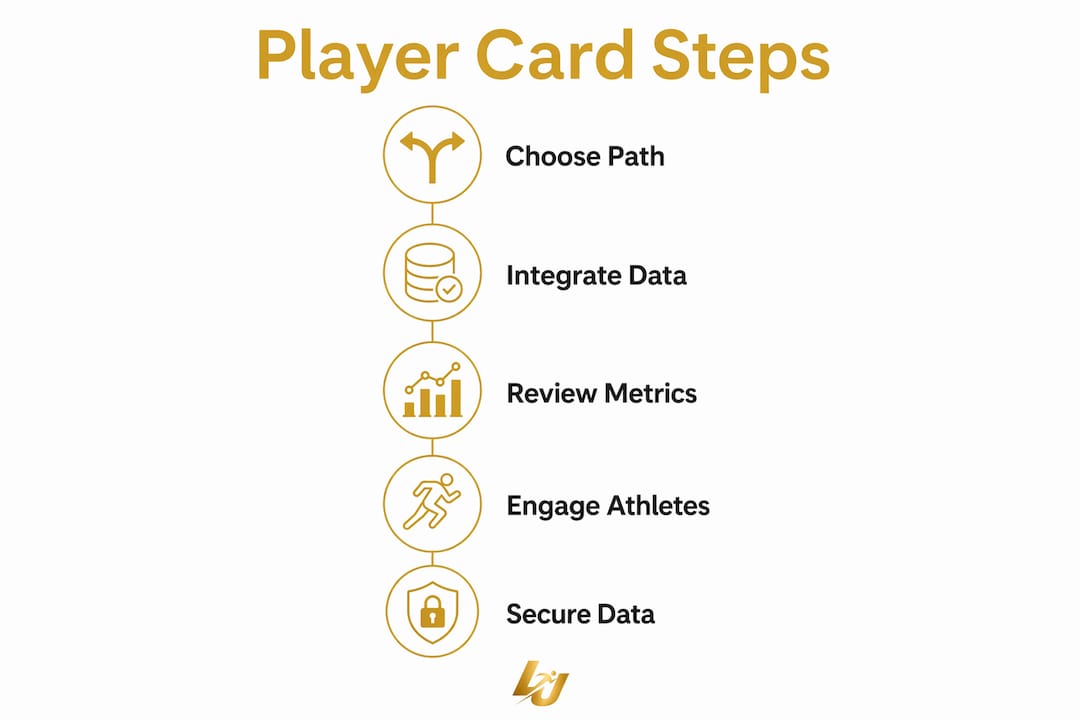
- Confirm coverage for your competition tier before any development begins.
- Procure feed credentials or widget access from your chosen provider.
- Build and QA the integration against a staging environment.
- Deploy consent flows and collect athlete authorisation.
- Run a controlled pilot with one team and gather coach feedback.
- Address any feed gaps or coverage issues identified during the pilot.
- Scale to the full club with monitoring alerts on feed health.
Common troubleshooting: If cards show stale data mid-match, check whether the fixture falls within a covered tier. If the feed connection drops, verify websocket reconnection logic and confirm your provider’s status page for outages.
How Levelup360hq delivers gamified, coach-grade live player cards for UK clubs
Levelup360hq is built specifically for the athlete ecosystem: athletes, coaches, and club administrators all operate within the same platform, with live player cards at the centre.
Core features:
- FIFA-style player cards with real-time ratings and market values
- XP-driven challenges tied to live match and training performance
- Tier progression and badge systems for athlete motivation
- Leaderboards and the ‘Word on the Street’ social feed
- White-label branding for clubs and academies
- CRM, subscription management, and store integrations
Onboarding steps for clubs:
- Request a demo or trial via the Levelup360hq demo page.
- Confirm sport and competition coverage with the Levelup360hq team.
- Customise card branding, colour scheme, and displayed metrics.
- Run a pilot across one team for 2–3 fixtures.
- Go live across the full club with ongoing support.
Coaches use the platform’s video assessment and approval workflow tools alongside live card data, so development feedback is grounded in both match performance and session work. For league and club administrators exploring how live stats fit into broader league management, league software integrations offer a useful reference point for how embedded stats function within club-facing platforms.
Levelup360hq supports football, cricket, netball, and rugby, with card data sets tailored to each sport’s key metrics.
Security considerations for live data transmission
Live data feeds carry real-time athlete performance information, which demands more than standard web security.
Token-based authentication (OAuth 2.0 or API key with short expiry) should be mandatory for every feed connection. Transmit all data over TLS 1.2 or higher; never serve live card data over unencrypted HTTP. For websocket connections, use WSS (WebSocket Secure) and validate the origin header to prevent unauthorised clients from subscribing to your feed.
Rate limiting on your own endpoints protects against feed amplification if a card widget is embedded on a high-traffic page. Log all feed access with timestamps and IP addresses, and set automated alerts for anomalous request volumes. For platforms handling minors’ data, restrict feed access to authenticated sessions only and never expose raw athlete identifiers in client-side payloads.
Which sports does Levelup360hq support, and how do data sets vary?
Levelup360hq currently supports football, cricket, netball, and rugby. Each sport’s player card draws on a different set of performance fields.
Football cards are the most data-rich, pulling from event-level feeds that include pass maps, sprint velocity, tackle zones, and expected goals involvement. Cricket cards surface batting and bowling metrics: runs scored, strike rate, wickets, economy rate, and fielding contributions. Netball and rugby cards focus on positional metrics, carries, tackles, and goal or try involvement, with the specific fields varying by competition coverage.
For niche sports, exploring integration patterns across different sports illustrates how technical teams adapt live data feeds to sport-specific card designs. The principle is consistent: identify the three or four metrics that coaches in that sport actually act on, map them to feed fields, and surface the rest behind a detail toggle.
Key takeaways
Accessing live player performance cards requires choosing the right integration path first: iFrame for speed, API for coaching depth.
| Point | Details |
|---|---|
| Choose your integration path | Use iFrame widgets for under-two-week deployment; use API + live feeds for event-level coaching data. |
| Check coverage before building | Confirm your competition tier has live coverage before any integration work begins. |
| Show macro and micro metrics | Surface a summary rating by default; give coaches a toggle to event-level fields for development decisions. |
| Comply with UK GDPR first | Collect explicit consent, minimise identifiers on public leaderboards, and document your audit trail before going live. |
| Levelup360hq for UK clubs | Levelup360hq provides FIFA-style live player cards, white-label branding, and multi-sport support across football, cricket, netball, and rugby. |
Why live, gamified player cards are changing athlete development right now
The shift from post-match PDF reports to in-match live cards is not a cosmetic upgrade. It changes the feedback loop entirely. When an athlete can see their pass accuracy updating in real time, the connection between action and data becomes immediate rather than retrospective. That immediacy is what drives behaviour change in training, not the end-of-week summary.
What most clubs underestimate is the organisational readiness required. The technology deploys quickly; the harder work is getting coaches to trust the data, athletes to engage with it consistently, and administrators to maintain consent records properly. Clubs that treat live cards as a technical project rather than a cultural one tend to see low adoption after the initial novelty fades. The platforms that succeed build the gamification layer, the leaderboards, the challenges, and the social feed, around the data from day one, not as an afterthought.
Levelup360hq: see live player cards in action for your club
Clubs and coaches who want live, gamified player cards without building the infrastructure from scratch have a direct route through Levelup360hq. The platform delivers FIFA-style cards with real-time ratings, XP challenges, and white-label branding across football, cricket, netball, and rugby, all within a single athlete development environment.
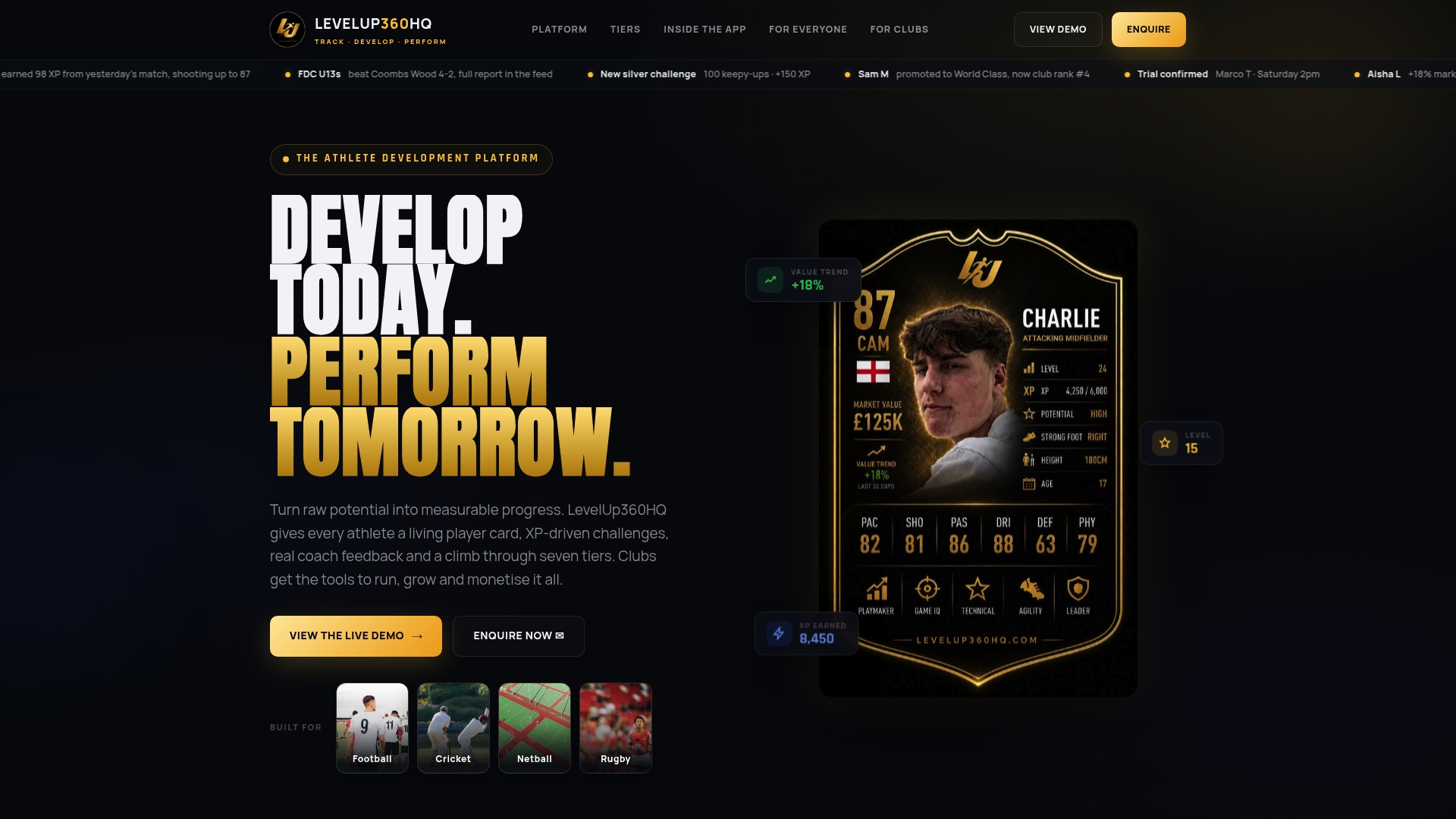
A demo includes a live card preview, a coverage check for your competitions, and a walkthrough of branding options. You can be running a pilot for one team shortly after your first conversation. Request your demo or start a trial at Levelup360hq and speak directly with the team about what a pilot would look like for your club.
Useful sources and further reading
- Sportradar developer docs: live match retrieval and feed types — coverage tiers, Live Timelines, Push Statistics, and feed payload examples.
- Stats Perform Content Player Pro — embeddable widget and API options, deployment timelines, and branding customisation.
- Stats Perform live player stats and Opta feeds — retention argument for embedded live stats in platform contexts.
- Peacock Performance View — broadcast case study for real-time overlays and interactive player cards.
- Opta for betting / Stats Perform — dual-view guidance: summary scores for engagement, event-level fields for coaching.
- Houston Chronicle: Hunter Brown form recovery — micro metric example showing velocity as a form indicator.
- Levelup360hq platform — gamified live player cards, club management, and white-label features for UK clubs.
Recommended
Turn potential into a player card.
LevelUp360 tracks every match, builds your child's player card, and shows their development over time.
Get started free